August 23, 2026
Updated: August 24, 2026
Three relays, three layers of encryption, and why no single hop ever sees both ends.
Abdalla Mohamed
How does Tor work? In one sentence: Tor hides who you are by wrapping your traffic in three layers of encryption and bouncing it through three volunteer-run computers, so that no single one of them ever knows both who you are and what you are doing. Each relay peels off one layer, like the layers of an onion, which is where "onion routing" gets its name. The result is that your internet provider cannot see where you go, the sites you visit cannot see who you are, and no single point in the chain can connect the two. This guide explains the whole process step by step, in plain language, with a clear picture of the three-hop circuit that makes it work.
Updated: August 2026. Reflects the current Tor network, v3 onion services, the Tor Browser 15 series (built on Firefox ESR), and the ongoing Arti (Rust) rewrite of Tor's core.
When you use the Tor Browser and request a web page, here is what happens, at a glance:
Because the job of hiding your identity is split across three independent relays, no single party, not your ISP, not the sites you visit, not any one relay, can see the full picture. That separation is the entire trick. The rest of this guide unpacks each step.
Most privacy tools route your traffic through one intermediary. A proxy or a VPN sends your data through a single server; that server hides your IP from the destination, but it can see both who you are and where you are going. Tor's founders wanted something stronger, so they designed onion routing: instead of one hop, your traffic passes through several, and instead of one layer of encryption, it is wrapped in several nested layers.
The metaphor is exact. Picture an onion: your message sits at the center, and around it are three layers of encryption. Each relay in the path can peel off only its own layer, revealing just enough information to pass the message to the next relay, never the whole thing. The first relay knows who you are but not your destination; the last relay knows your destination but not who you are; and the middle relay knows neither. No layer, and no relay, sees everything. (For the origin of this design, see our history of who created the dark web.)
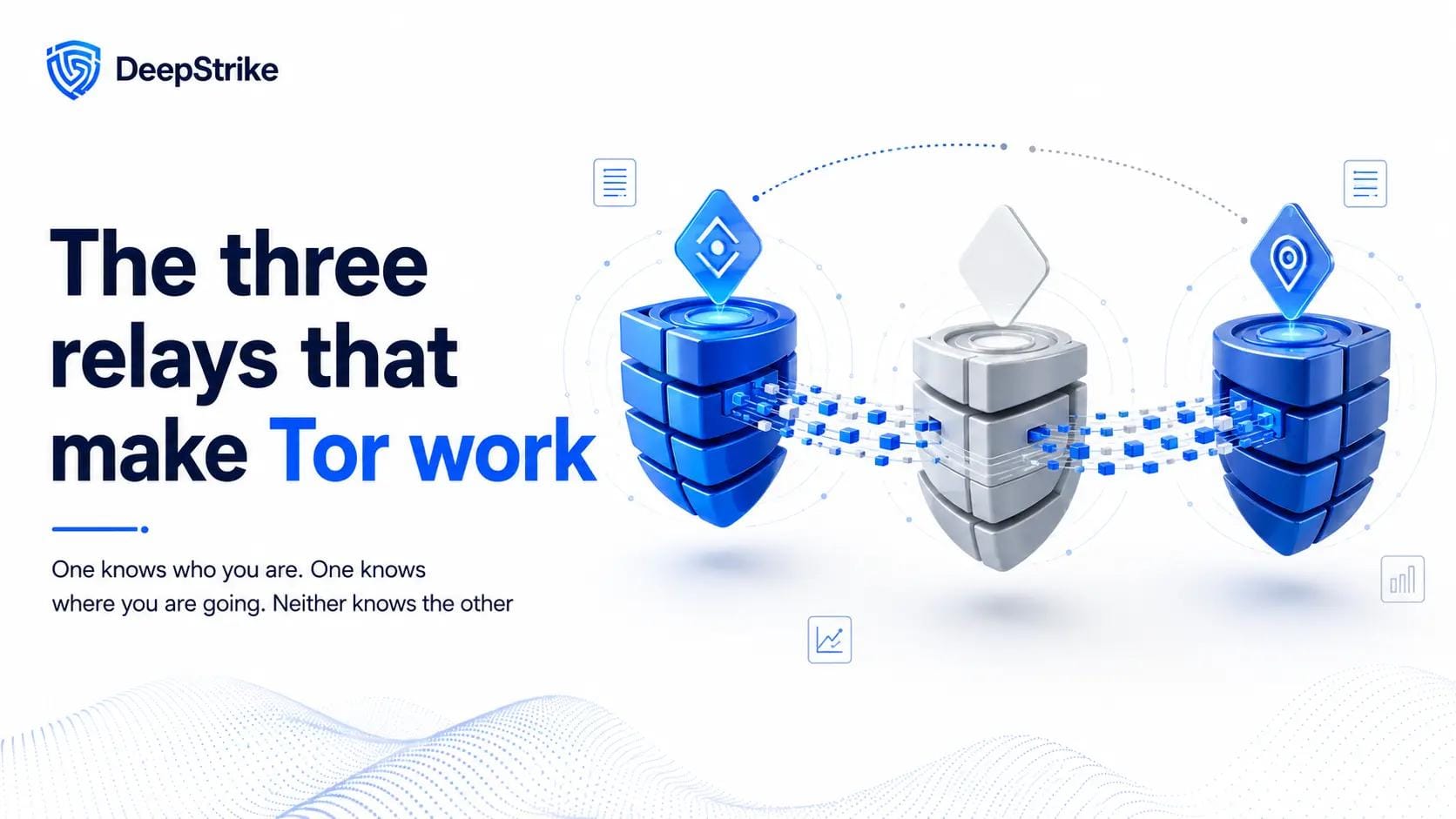
Every Tor connection, called a circuit, is built from three relays, each with a distinct job.
| Relay | Position | What it sees | What it does |
|---|---|---|---|
| Guard (entry) node | First hop | Your real IP address, but not your destination | Receives your encrypted traffic and forwards it inward |
| Middle node | Second hop | Neither your identity nor your destination | Passes traffic between guard and exit, keeping them apart |
| Exit node | Third hop | Your destination, but not your real IP | Removes the final layer and connects to the website |
The middle relay is the quiet hero of the design: by sitting between the guard and the exit, it ensures the entry node and exit node never communicate directly and never learn about each other. That is what stops any single relay from linking your identity to your activity.
This is the part a diagram makes obvious, so picture the path as a straight line:
You → [Guard] → [Middle] → [Exit] → Website
Tor does not just fire your data down that line; it builds the circuit carefully and incrementally, negotiating a separate secret key with each relay so that each layer of the onion can only be opened by the right hop. The process, called telescoping, works like this:
The elegant part is that the client negotiates each key itself, end to end through the growing tunnel, so no relay ever learns the keys shared with the relays beyond it. Each relay knows only its own key and its immediate neighbors.

Once the circuit and its three keys exist, sending data is where the "onion" becomes literal. The client encrypts your message in reverse order, and each relay decrypts one layer on the way out.
| Step | Where | What happens |
|---|---|---|
| 1 | Your device | Encrypt the message with Key 3 (exit), then Key 2 (middle), then Key 1 (guard). Three layers, guard's on the outside. |
| 2 | Guard node | Removes the outermost layer with Key 1, sees the middle relay as the next hop, forwards the rest. |
| 3 | Middle node | Removes the next layer with Key 2, sees the exit relay as the next hop, forwards the rest. |
| 4 | Exit node | Removes the final layer with Key 3, revealing the original request, and sends it to the website. |
The reply travels back the same path in reverse, with each relay adding a layer this time, and your client removing all three at the end. At no point does the guard see the actual website, and at no point does the exit see your real IP. That is onion routing in action, and it is the answer to "how does Tor encryption work": not one lock, but three nested locks, each held by a different relay.
Because this is the heart of Tor's anonymity, it is worth stating plainly.
| Question | Guard | Middle | Exit |
|---|---|---|---|
| Sees your real IP? | Yes | No | No |
| Sees the website you visit? | No | No | Yes |
| Sees the content (if HTTPS)? | No | No | No (encrypted to the site) |
| Sees the content (if plain HTTP)? | No | No | Yes |
| Can link you to your activity? | No | No | No |
The last row is the whole point: no single relay can connect your identity to your destination. One important caveat lives in this table, though. The exit node can read your traffic if the site you are visiting does not use HTTPS, which is why using HTTPS matters even on Tor, and why onion services (which never use an exit node) avoid the risk entirely. Our dark web browser guide covers what Tor protects and what it does not in more depth.
For any of this to work, your Tor client needs a trustworthy list of the thousands of relays in the network. It gets one from a small set of special servers called directory authorities, run by trusted members of the Tor Project. These authorities regularly vote on and publish a digitally signed document called the consensus, which lists every public relay along with its address, cryptographic keys, capacity, and exit policy.
Your client downloads this consensus, verifies its signatures, and uses it to choose relays for your circuits. This design matters for security: because the relay list is signed by multiple independent authorities, an attacker cannot easily feed your client a fake list of malicious relays. It is also why simply blocking those relays is how some networks try to block Tor, and why Tor offers bridges to get around that (covered below).
A few more details explain why Tor behaves the way it does:
Everything so far describes using Tor to reach the ordinary internet anonymously. Tor can also host websites inside the network, reachable only through Tor at a special .onion address. These are onion services (formerly "hidden services"), and they work differently, with no exit node at all.
At a high level:
The result is that both ends stay anonymous, the visitor does not learn the server's location and the server does not learn the visitor's, and the traffic never leaves the Tor network, so there is no exit node to eavesdrop. Modern v3 onion addresses are 56 characters long and based on strong ed25519 public-key cryptography, which is why they look like long random strings. Our guide to onion sites explains those addresses, and the dark web search engines and directories like the Hidden Wiki that help people find them.
Some networks and countries try to block Tor by blocking the public relays listed in the consensus. Tor's answer is bridges: unlisted entry relays that are not in the public directory, so they are much harder to block. To defeat deeper inspection that tries to recognize Tor traffic by its signature, Tor uses pluggable transports such as obfs4 and Snowflake, which disguise Tor traffic to look like ordinary encrypted traffic. This is the same category of problem as other censorship-circumvention techniques like domain fronting, and it is how people in heavily censored regions still reach the open internet.
Understanding how Tor works also means understanding its limits. Tor hides your network identity, your IP address and location, from the relays and the sites you visit, and hides your destinations from your ISP (though your ISP can often tell you are using Tor). What it does not do is make you anonymous if you undermine it yourself: logging into a real account, running a compromised device, downloading and opening files outside Tor, or leaking identifying details will deanonymize you no matter how well the circuit performs. Tor also only protects the traffic you route through it, which, with the Tor Browser, is your browsing. It is a powerful network-layer tool, not a magic cloak. It is also only one of several anonymous-network designs; our Tor vs I2P comparison shows how the main alternative differs.
For nearly everyone, "using Tor" means using the Tor Browser, a hardened version of Mozilla Firefox (built on the Extended Support Release) that routes everything through Tor and is configured to resist tracking and fingerprinting. Under the hood, the Tor Project is rewriting Tor's core software from C into Rust in a project called Arti, which has reached production use as a client and is progressing toward full feature parity, bringing a more secure and maintainable foundation for the years ahead. The onion routing concept, though, remains exactly what the US Naval Research Laboratory designed in the 1990s.
Knowing the mechanics clears up the myths that trip people up:
So, how does Tor work? It splits trust. Rather than routing your traffic through one server that sees everything, Tor sends it through three volunteer relays wrapped in three layers of encryption, so the entry knows who you are but not where you go, the exit knows where you go but not who you are, and the middle keeps them apart. Add a signed directory of relays, fixed-size cells, rotating circuits, persistent guards, and onion services that skip the exit entirely, and you have a system that delivers genuine anonymity by design rather than by promise. It is slower than a direct connection, and it is not foolproof against your own mistakes, but the core idea, no single party sees both ends, is what has made onion routing the backbone of online anonymity for two decades.
Tor routes your traffic through three relays wrapped in three layers of encryption. The entry relay sees your IP but not your destination, the exit relay sees your destination but not your IP, and the middle relay keeps the two apart. Because no single relay can link your identity to your activity, you stay anonymous, unless you reveal yourself by logging in or leaking identifying details.
Onion routing wraps your data in nested layers of encryption, one per relay in the path. Each relay peels off exactly one layer to learn only the next hop, never the full route. The layered structure, like the layers of an onion, is what gives the technique its name and ensures no relay sees both where traffic comes from and where it is going.
Your client negotiates a separate secret key with each of the three relays, then encrypts your message with all three keys in reverse order (exit, middle, guard). Each relay removes one layer on the way out using its own key. The traffic is encrypted between you and the exit; from the exit to the website it is protected only if the site uses HTTPS.
Within the Tor network, yes, your traffic is encrypted across all three hops. But when it leaves the exit node for a regular website, it is only encrypted if that website uses HTTPS. Onion (.onion) services are different: traffic never leaves the Tor network, so it stays encrypted end to end with no exit node involved.
A standard Tor circuit uses three relays: a guard (entry), a middle, and an exit. Onion services use more hops overall because both the visitor and the service build circuits to a shared rendezvous point, but the three-relay circuit is the basic building block.
Yes, your ISP cannot see which sites you visit through Tor, because your traffic is encrypted and its destination is hidden behind the relays. However, your ISP can usually tell that you are connecting to the Tor network. To hide even that, Tor offers bridges and pluggable transports that disguise the connection.
An onion service and its visitor each build Tor circuits to a shared rendezvous relay and communicate through it, using introduction points to make the initial connection. Neither side learns the other's location, and traffic never uses an exit node, so it never leaves the Tor network. The site's v3 .onion address is derived from its public key, which is why it is a long string of characters.

Stay secure with DeepStrike penetration testing services. Reach out for a quote or customized technical proposal today
Contact Us
