

October 14, 2025
Updated: March 10, 2026
A practical enterprise guide to black box, white box, and gray box penetration testing for modern identity-, API-, and cloud-driven environments.

Mohammed Khalil
Key Takeaways
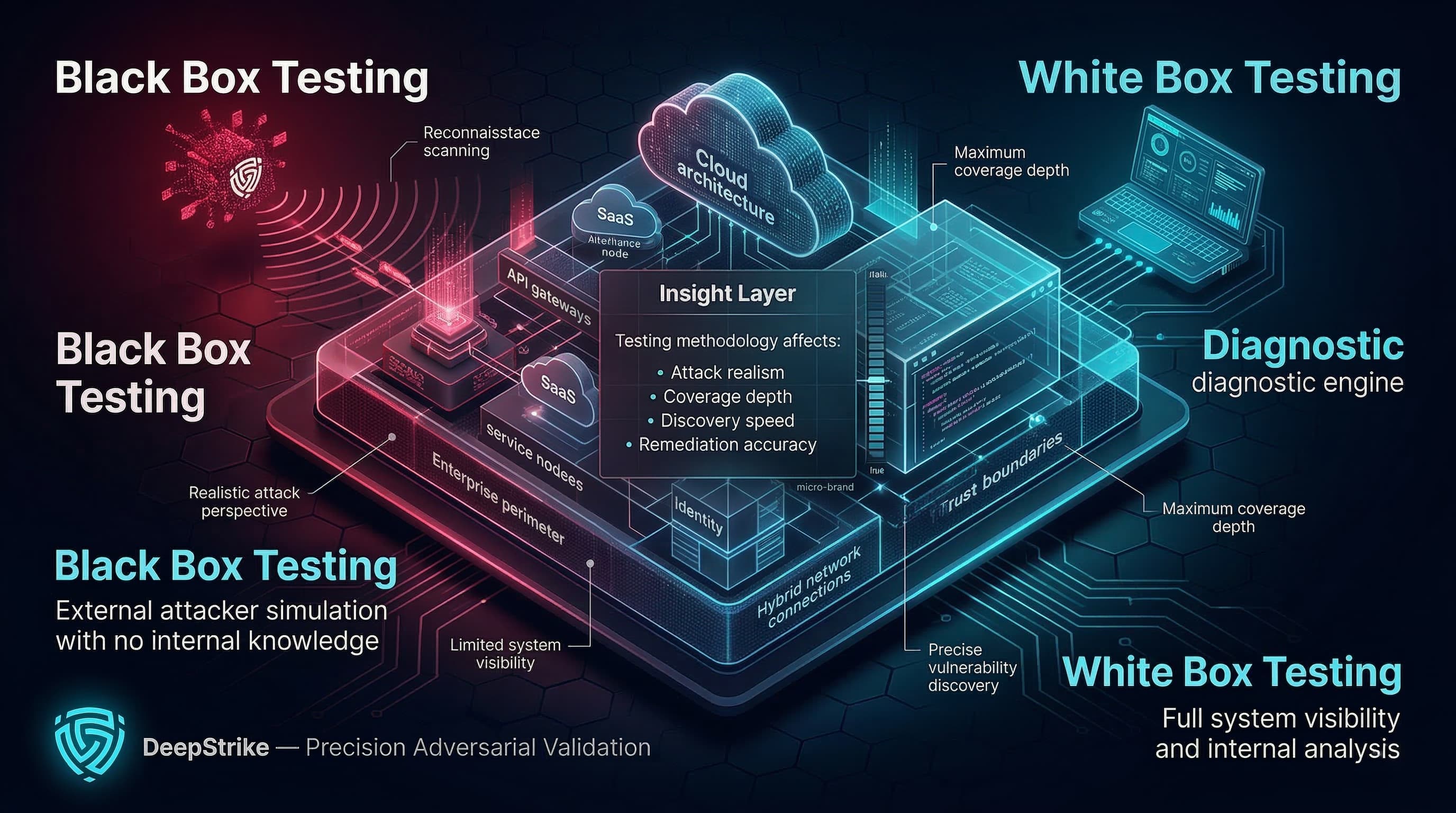
Black Box vs White Box Testing is not a cosmetic choice in 2026. In enterprise environments, the box model you select changes the realism of attacker simulation, the depth of coverage, the speed and cost of discovery, and, most importantly, the quality and actionability of remediation outcomes.
Modern attack surfaces are no longer dominated by a single web app behind a perimeter. They are distributed across cloud control planes, SaaS integrations, APIs, identities (human and machine), hybrid networks, and rapidly changing delivery pipelines. This is why methodology selection must align with a clear objective and a defined assurance outcome, not a generic “black box is realistic / white box is thorough” narrative.
This 2026 edition revalidates definitions and tradeoffs using primary testing and security guidance from National Institute of Standards and Technology, OWASP, the Penetration Testing Execution Standard (PTES), and MITRE ATT&CK, with enterprise assurance framing that maps to common audit and regulatory expectations. For a broader baseline on how penetration testing fits into planning, execution, and reporting, see our guide on penetration testing methodology.
In 2026, enterprise security validation is increasingly identity-first and API-first. Zero trust architecture guidance emphasizes that enterprise trends such as remote users and cloud-based assets weaken the assumptions behind network-location trust, pushing security programs to validate access controls, authentication strength, and authorization boundaries more rigorously.
At the same time, the API layer keeps expanding: APIs expose object identifiers and actions that depend on correct object-level authorization and authentication controls. This matters for black box vs white box testing because authorization and business logic flaws are often context-dependent. The testing model determines how quickly testers can authenticate into real user roles, enumerate privilege paths, and validate trust boundaries across services and integrations.
The enterprise expectation has also shifted toward results that are operationally usable: reproducible findings, clear exploit conditions, and remediation guidance that developers can apply without guesswork. This is consistent with security-by-design guidance that emphasizes building and validating security earlier and more continuously across the product lifecycle, rather than relying exclusively on late-stage testing.
The core definitions of black box, white box, and gray box testing have not changed, but the practical decision criteria have. What changed is the environment those models must validate:
Cloud and hybrid architectures increased the number of implicit trust boundaries (identity providers, token exchanges, service-to-service permissions, IAM policies, and misconfiguration-driven exposure).
API-driven systems increased the rate at which authorization defects create real business impact, especially when object-level controls are inconsistent across endpoints.
Enterprise assurance is increasingly evidence-driven (repeatable validation artifacts, documented methodology, and traceable scope), particularly where regulatory pressure exists to demonstrate resilience testing practices.
As a result, simplistic framing such as “black box equals realism” and “white box equals depth” is incomplete in 2026. In many enterprise programs, gray box becomes the operational default for meaningful coverage of authenticated attack paths, while black and white box methods remain essential for specific objectives and control evidence.
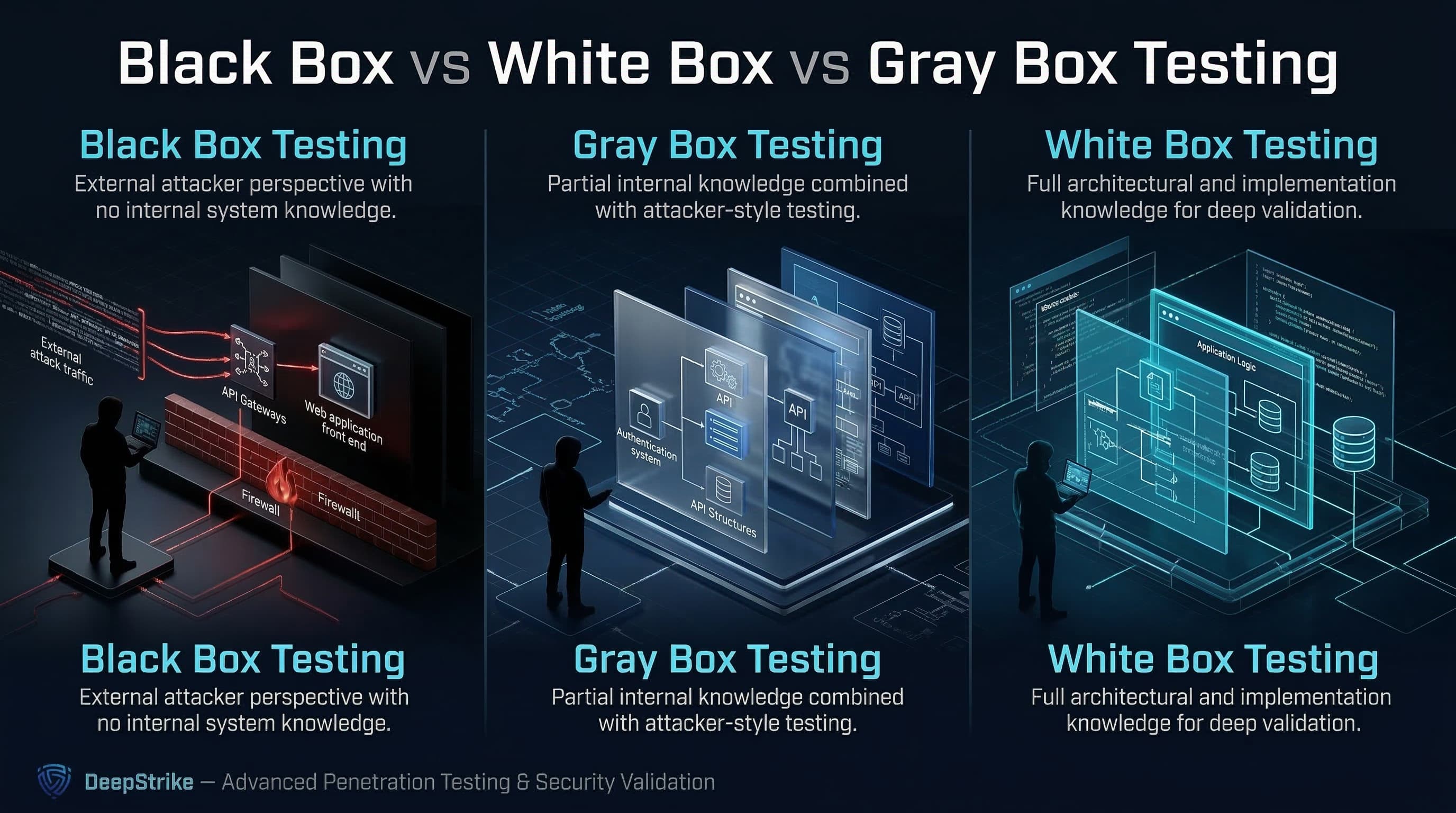
Black box penetration testing is a test methodology that assumes no knowledge of the internal structure and implementation details of the assessment object, simulating an attacker perspective constrained to externally observable behavior and accessible interfaces.
White box penetration testing is a test methodology that assumes explicit and substantial knowledge of the internal structure and implementation details of the assessment object such as architecture information, documentation, and source code, enabling deeper and more targeted validation.
Gray box penetration testing is a test methodology that assumes some knowledge of the internal structure and implementation details of the assessment object, combining partial internal context with attacker-style testing to balance realism, depth, and efficiency.
A note on terminology: box testing exists in both QA and security disciplines, but this guide uses the terms in the context of enterprise security validation and penetration testing deliverables (attack-path discovery, exploit validation, and remediation guidance).
The practical difference is not just how much you know. It is how that knowledge changes the path to reliable, high-impact findings.
Black box testing increases the need for discovery (recon, enumeration, and trial-and-error), which can improve realism but can also increase time-to-coverage and reduce confidence that deep, role-dependent business logic has been tested.
White box testing compresses discovery time and increases targeting precision by allowing testers to focus on critical trust boundaries, risky flows, and likely failure points in design and implementation.
Gray box testing often improves practical coverage in enterprise environments because partial internal knowledge (especially credentials and role definitions) enables direct validation of authenticated attack paths, authorization boundaries, and business logic conditions that are difficult to reach in purely black box workflows.
NIST explicitly calls out that many tests use both white box and black box techniques, and that this combination is commonly known as gray box testing.
| Attribute | Black Box Testing | White Box Testing | Gray Box Testing |
|---|---|---|---|
| Initial knowledge | Minimal or none | Extensive (e.g., code, architecture, documentation) | Partial (e.g., credentials, diagrams, limited docs) |
| Attacker realism | High for external perspective | Lower for initial access; higher for internal chain analysis | Balanced (real attacker techniques with operational access) |
| Coverage depth | Variable; often constrained by discovery time | High for targeted paths and trust boundaries | High for authenticated and role-based paths |
| Testing efficiency | Lower at the start due to discovery | Higher due to direct targeting | Balanced; avoids blind discovery while retaining attacker workflows |
| Business logic visibility | Limited unless reachable via UI/API behaviors | Strong (design- and code-aware validation) | Moderate to strong (especially with role context) |
| Likelihood of chained weakness discovery | Moderate; depends on time and surface visibility | High; can prioritize chainable weaknesses and hidden paths | High; often best for privilege/authorization chains |
| Best fit | External footprint realism; what can an outsider do? | Deep internal assurance; where are we structurally weak? | Practical enterprise validation; what can an attacker do with partial access? |
Well-run penetration tests follow a defined process and reporting discipline. The Penetration Testing Execution Standard (PTES) describes a seven-phase structure (pre-engagement through reporting), and the OWASP testing framework references this methodology structure for penetration testing workflows. The box model influences how you execute those phases, not whether you execute them.
In a security context, black box testing typically emphasizes external discovery and attack-surface validation:
Planning and constraints: scope, rules of engagement, and data handling requirements must be explicit to avoid uncontrolled impact.
External reconnaissance and enumeration: identify exposed domains, endpoints, APIs, login surfaces, and integration points.
Attack surface discovery: map reachable functionality and trust boundaries through observable behavior, error responses, and endpoint structure.
Vulnerability analysis and exploitation attempts: validate exploitability (not just scanner output) and prove impact with controlled evidence.
Post-exploitation and reporting (as permitted): determine what an attacker can do next (e.g., pivoting, privilege escalation, data access) under agreed rules.
Black box testing is strongest at answering what is exposed and exploitable from an attacker’s constrained viewpoint, but it can under-test deep role-based authorization and internal misconfiguration unless time and access are expanded.
White box security validation uses internal knowledge to increase precision and depth:
Architecture and trust-boundary review: identify high-risk flows, identity boundaries, and service-to-service trust assumptions.
Design-aware threat modeling: align test objectives to plausible attacker paths and misuse cases, including identity and authorization failure modes.
Code-aware testing and validation: use source code insights and security testing frameworks to validate implementation correctness, not just runtime behavior.
Deeper verification of business logic: validate role checks, object access rules, and workflow constraints that are frequently the actual source of high-impact vulnerabilities in API and SaaS-heavy systems.
White box testing is not unrealistic. It answers different questions, especially what is structurally wrong or fragile and it can reduce false negatives by illuminating hidden code paths and internal assumptions.
Gray box testing is deliberately hybrid:
Partial knowledge provisioning: test accounts (often multiple roles), limited architecture notes, and key integration information, without turning the engagement into a pure internal audit.
Authenticated testing and role-based validation: focus on authorization boundaries, object-level access control, and post-login functionality that black box tests can struggle to cover efficiently.
Realistic attacker workflows with context: test as an attacker who has already obtained partial access (e.g., compromised credentials) while still requiring exploitation techniques to gain additional privilege or reach sensitive assets.
In 2026 enterprise programs, gray box is commonly the most operationally efficient route to validating identity-centric and authorization-centric attack paths. For more detail on practical testing scope in modern environments, see web application penetration testing and cloud penetration testing.
Choosing the right model is primarily an objective and constraints problem: what are you trying to prove, what can you realistically access, and what evidence do you need at the end.
Internet-facing web application assessment: Black box or gray box is typically appropriate when the goal is to validate exposure and exploitability from an attacker’s view of public interfaces. A gray box variation becomes high-value when authentication is a meaningful part of the attack surface and you need reliable coverage of post-login functionality.
Internal application with complex authorization logic: Gray box or white box is usually more effective when the primary risks are role misconfiguration, authorization bypass, and privilege boundary issues that depend on internal logic and data flows.
Cloud or API environment with multiple trust boundaries: Gray box is often the practical default because you need enough context to test identity, permissions, token scopes, and service-to-service authorization in a controlled way. White box becomes important when you need to validate infrastructure-as-code patterns, internal service logic, or hard-to-reach administrative paths.
M&A or pre-production assurance: White box is frequently the fastest route to meaningful results when timelines are short and you need to identify structural risk quickly (architecture and code insight can compress discovery). Standalone black box testing can be too slow to achieve coverage under limited time.
Compliance-driven testing program: The model should match the assurance objective (external exposure, internal robustness, or role-based validation) and the evidence requirements in the audit program. Where continuous validation is expected, mix models over time rather than forcing a single approach into all scenarios.
Black box strengths: Black box testing provides the cleanest validation of how exposed and exploitable your public attack surface is when the tester starts without insider knowledge. It is also useful for independent verification when developers and internal teams may have bias or blind spots.
Black box limitations: Black box testing can miss issues that require knowledge of hidden endpoints, conditional logic, or nuanced role permissions, especially in distributed systems and APIs where the most severe flaws may exist behind authentication and data-level authorization checks.
White box strengths: White box testing supports deeper targeting and higher-confidence coverage where implementation detail matters (e.g., authorization rules, trust boundaries, and hidden code paths). It strengthens development-stage assurance by enabling earlier and more precise defect identification aligned with secure-by-design principles.
White box limitations: White box testing can be resource-intensive because it requires skilled reviewers and time to analyze architecture and implementation detail. It can also drift away from attacker realism if the engagement becomes purely documentation-driven without validating exploitability through realistic execution paths.
Where gray box fits best: Gray box is strongest when you need both realism and depth: real attacker workflows, but with enough internal context (especially credentials and role definitions) to cover the attack paths that matter in identity- and API-heavy systems.
No model is universally best. The appropriate approach is determined by objectives, scope, and how the system actually fails under realistic attack conditions.
Choose black box testing when: The main question is what can an external attacker discover and exploit with no prior knowledge? You need an independence signal for customer assurance or external verification contexts. You are validating perimeter exposure, internet-facing assets, and the effectiveness of external controls.
Choose white box testing when: The main question is how do we fail internally, and where is the implementation structurally weak? You need deeper assurance for complex logic, hidden paths, or high-impact systems where false negatives are unacceptable. You can provide code and architecture safely and want the fastest route to targeted, high-confidence findings.
Choose gray box testing when: You need reliable validation of authenticated attack paths (roles, permissions, object ownership, workflow constraints). You are testing identity-centric environments where post-compromise is a realistic scenario (stolen credentials, compromised tokens, or limited insider access). You want a practical balance of realism, depth, and time-to-findings in large enterprise scopes.
Do not treat cost as a proxy for value. Treat cost as the result of specific drivers:
Discovery effort: black box testing tends to spend more time discovering the attack surface; white box reduces this through internal knowledge.
Access provisioning and safety controls: gray and white box engagements often require coordinated credential provisioning, environment readiness, and access boundaries, which increases planning needs but can reduce wasted execution time.
Depth and retest efficiency: white and gray box methods typically reduce retest friction because findings can be reproduced against specific code paths, configurations, or roles improving remediation turnaround.
Evidence requirements: compliance or customer assurance often increases documentation, reporting rigor, and scope traceability, regardless of the box model.
For budgeting and planning considerations, see penetration testing cost and vulnerability assessment vs penetration testing. For programs that run more continuously, see continuous penetration testing and penetration testing as a service (PTaaS).
Testing methodology is often reviewed through the lens of what evidence does an auditor, regulator, or customer expect, but it is rarely correct to say that one box model is universally required. The right approach is to align scope, evidence, and frequency to the standard then choose the testing model that produces credible validation artifacts.
PCI DSS: PCI Security Standards Council maintains guidance on penetration testing as part of PCI security validation expectations. PCI DSS programs typically require penetration testing as part of validating the security of the cardholder data environment and segmentation assumptions; the emphasis is on a documented, repeatable methodology and meaningful validation outcomes, not the label of black box alone. If you need more targeted detail, see PCI DSS penetration testing guide.
SOC 2: AICPA defines SOC 2 as an examination reporting on controls relevant to security, availability, processing integrity, confidentiality, and/or privacy. The Trust Services Criteria provide control criteria used in these examinations. SOC 2 does not prescribe a single mandated testing method in the way a technical standard might; however, properly scoped penetration testing is commonly used as evidence to demonstrate evaluation and monitoring of security controls when aligned to the system description and risk profile. For a practical lens on audit alignment, see SOC 2 penetration testing requirements.
ISO/IEC 27001: International Organization for Standardization describes ISO/IEC 27001 as a standard that defines requirements for establishing, implementing, maintaining, and continually improving an information security management system (ISMS). Penetration testing can support ISO 27001 risk treatment and evidence needs, but the standard is implemented through risk-based control selection rather than a universal “must pentest this way” requirement.
NIS2: European Union Agency for Cybersecurity provides technical implementation guidance to support NIS2-aligned cybersecurity risk management measures, including practical evidence and mappings that help entities demonstrate implementation of required measures. In practice, many organizations treat penetration testing (often gray box for authenticated coverage) as one method to generate evidence of control effectiveness, especially when requirements emphasize demonstrable operational security measures.
DORA: The European Insurance and Occupational Pensions Authority notes that the Digital Operational Resilience Act applies to strengthen the digital resilience of financial entities and entered into application on 17 January 2025. The Commission de Surveillance du Secteur Financier summarizes that DORA requires a digital operational resilience testing programme and that selected entities must conduct advanced testing based on threat-led penetration testing (TLPT). For DORA-aligned programs, box model discussions often shift toward how black/white/gray methods support repeatable, scoped, intelligence-informed validation rather than one-off perimeter checks.
Misconception: Black box testing is always the most realistic and therefore always best.Reality: Black box is the cleanest simulation of no prior knowledge, but enterprise realism often includes credential theft, token abuse, and post-login exploitation. Gray box frequently produces more realistic validation of these scenarios because it enables authenticated testing and role-based verification.
Misconception: White box testing is just code review.Reality: Code analysis can be part of white box testing, but the defining feature is substantial internal knowledge that enables deeper validation (architecture-aware targeting, trust-boundary testing, and verification of security assumptions).
Misconception: White box testing is unrealistic and therefore less valuable.Reality: White box methods are designed to reduce false negatives and increase assurance depth for high-impact systems. They answer “where are we structurally weak?” and can complement black box validation focused on “what can an outsider do?”
Misconception: Gray box is a compromise rather than a deliberate strategy.Reality: NIST recognizes that combining black and white box techniques is common and that this hybrid approach is gray box testing; it is often a deliberate choice to balance time, coverage, and realism.
Misconception: More access automatically means better testing in every case.Reality: More access changes what you validate. If the objective is independence and external exploitability, too much contextual data can reduce the realism of discovery. If the objective is deep assurance, too little context increases the risk of blind spots.
Black box, white box, and gray box penetration testing should usually be treated as components of a broader security validation strategy, not mutually exclusive options. Many mature programs use multiple models across the year:
A black box (or near-black) assessment to validate external exposure and attacker discovery constraints.
A gray box assessment to validate authenticated attack paths, authorization boundaries, and real user role abuse conditions.
A white box assessment (or targeted internal reviews) for high-risk systems where implementation assurance and coverage depth are required.
Threat-informed validation can also be strengthened by mapping test objectives to adversary behaviors documented in MITRE ATT&CK, which describes tactics and techniques based on real-world observations and is commonly used as a foundation for threat models and methodologies. This helps teams align what we test to realistic behaviors rather than generic vulnerability checklists.
For organizations moving toward more continuous validation cycles, complementary practices (automated scanning, regression security tests, and periodic deep manual testing) can be aligned with outcome-driven guidance that includes testing and validation as part of maintaining security effectiveness.
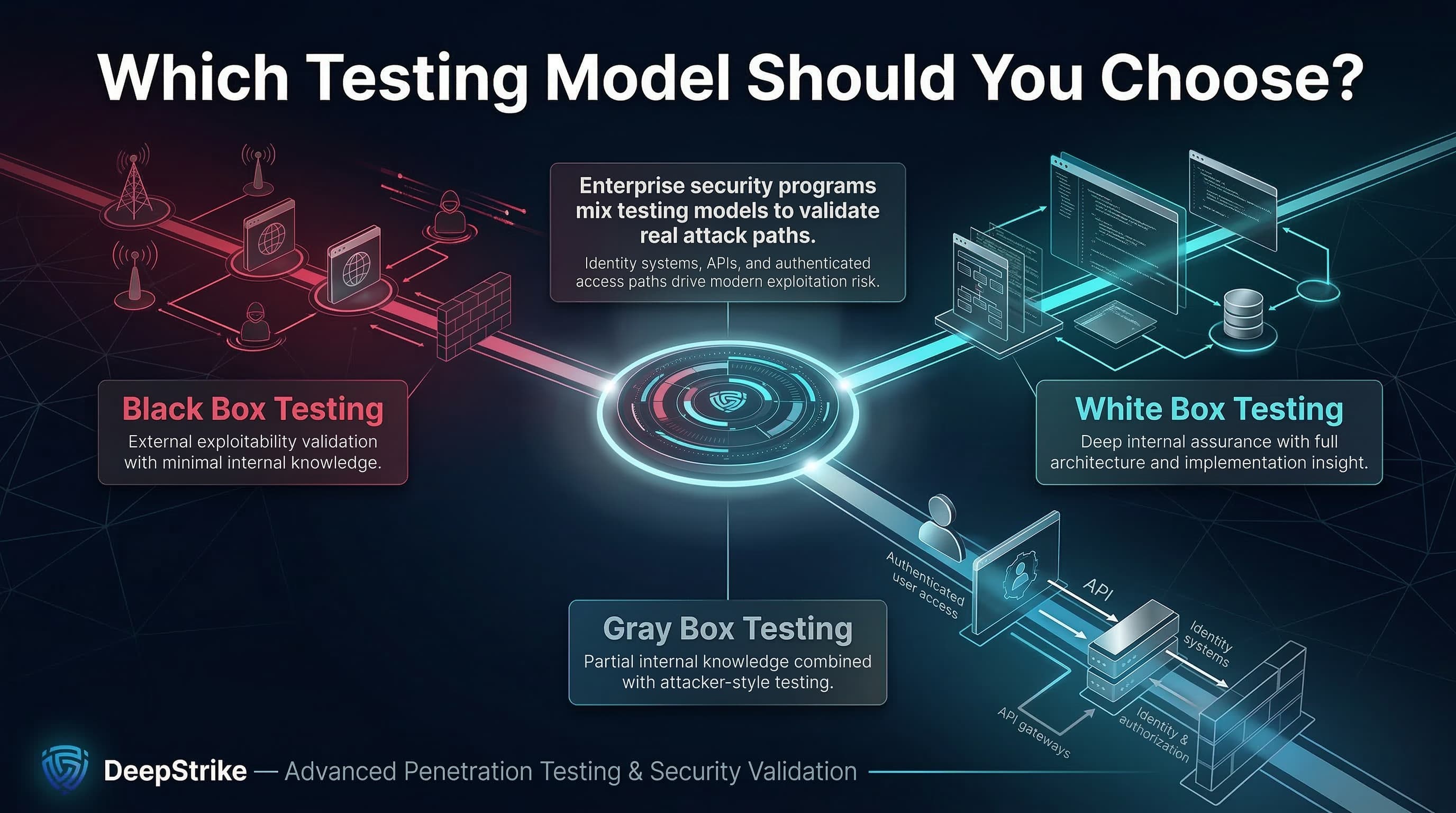
Black box testing is best for validating external exploitability under minimal-knowledge constraints, particularly for internet-facing assets and independent assurance scenarios.
White box testing is best for deep internal assurance where architecture and implementation details drive risk, and where you need high-confidence coverage of critical trust boundaries and hidden paths.
Gray box testing is often the strongest practical choice for enterprises in 2026 because authenticated systems, APIs, and identity-driven attack paths require role context to test efficiently and credibly.
In 2026, security leaders should prioritize method selection based on the attack paths that matter (especially identity and authorization), the evidence required for assurance, and the operational reality of rapid change. They should then mix models over time rather than forcing one approach into every scope.
Black box penetration testing is a method where the tester begins with no knowledge of the target’s internal structure or implementation, validating what can be discovered and exploited through externally observable interfaces.
White box penetration testing is a method where the tester has substantial internal knowledge (such as architecture details and source code insight), enabling deeper, more targeted validation of trust boundaries and implementation paths.
The difference is the amount of internal knowledge assumed by the tester: black box assumes none, while white box assumes explicit and substantial internal knowledge, changing discovery effort, coverage depth, and how quickly high-confidence findings are produced.
Gray box penetration testing assumes some internal knowledge and combines black and white box techniques to balance attacker-style realism with better efficiency and coverage of authenticated paths.
Neither is universally better. Black box is better for external realism and independent discovery constraints; white box is better for deep assurance and implementation-driven risk. The correct choice depends on objective, scope, and evidence needs.
Choose gray box testing when post-login workflows, role permissions, business logic, and authorization boundaries are critical to risk, and you need reliable coverage without spending most of the engagement on blind discovery.
White box can be more effective for internal assurance goals because it enables targeted testing of hidden paths and trust boundaries. Black box can be more effective for validating external exploitability and discovery realism.
Compliance rarely requires a single box model in all cases; it requires credible scope, repeatable methodology, and evidence that controls were evaluated appropriately. Many enterprise programs mix models across the year to satisfy both external realism and internal assurance evidence needs.
Organizations should align the selected testing model to their environment, assurance objectives, and required depth of validation.
About the Author: Mohammed Khalil is a Cybersecurity Architect at DeepStrike, specializing in advanced penetration testing and offensive security operations. With certifications including CISSP, OSCP, and OSWE, he has led numerous red team engagements for Fortune 500 companies, focusing on cloud security, application vulnerabilities, and adversary emulation. His work involves dissecting complex attack chains and developing resilient defense strategies for clients in the finance, healthcare, and technology sectors.

Stay secure with DeepStrike penetration testing services. Reach out for a quote or customized technical proposal today
Contact Us