October 28, 2025
Updated: November 4, 2026
Understand the four core AppSec testing methods, SAST, DAST, IAST, and RASP, and how to combine them for full-stack protection across your SDLC in 2026.

Mohammed Khalil
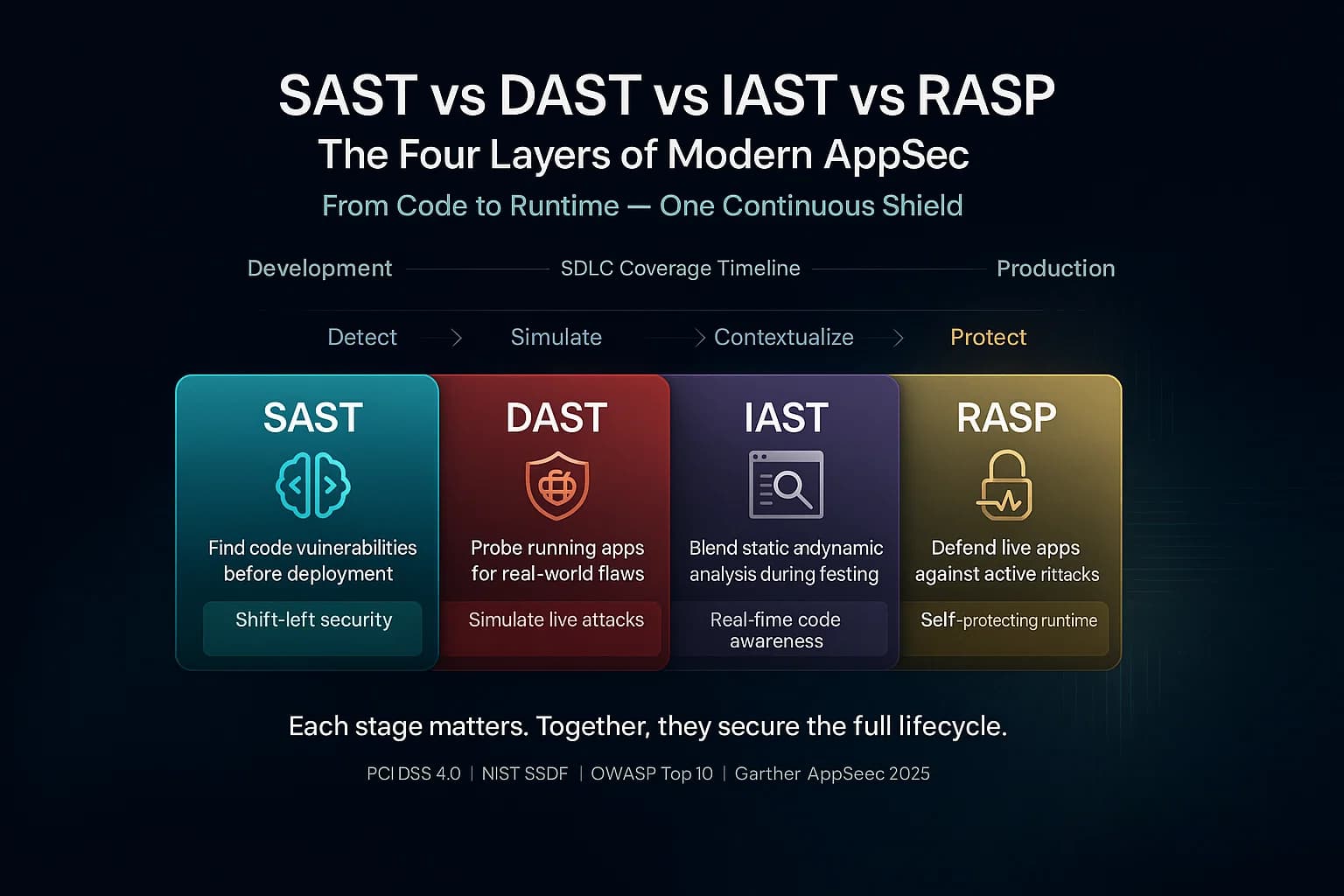
SAST vs DAST vs IAST vs RASP comes down to one thing: when in an application's life each one looks at your code, and that timing decides what it can and cannot catch. SAST reads source code before it runs. DAST attacks a running app from the outside. IAST watches the app from the inside while your tests exercise it. RASP is the odd one out, a runtime shield that blocks attacks in production rather than a test at all. None of the four replaces the others, which is why a real application security program runs several of them together and, in 2026, adds a layer above them to make sense of the results.
Updated: September 2026. Reflects the current AppSec market, the rise of Application Security Posture Management (ASPM), reachability analysis becoming standard, and AI-assisted remediation.
In 2026, with cloud-native apps, AI-generated code flooding pipelines, strict compliance regimes such as PCI DSS and the NIST SSDF, and rapid DevOps cycles, using these tools in tandem is not optional. NIST's secure development guidelines explicitly recommend automated static analysis to catch vulnerabilities early, while OWASP advocates layered testing to address the OWASP Top 10. For a broader view on testing strategies, see our guide to what penetration testing is.
The one line to remember: SAST, DAST, and IAST find vulnerabilities at different stages; RASP defends against them in production. They are complementary layers, not competing choices. This guide explains each one, where it fits, its blind spots, and how to combine them without drowning in alerts.
The clearest way to hold the four apart is to place them on the software development lifecycle. Each is designed for a different phase, which is exactly why layering them gives you coverage no single tool can.
| SDLC phase | Tool | Purpose |
|---|---|---|
| Development (every commit / PR) | SAST | Catch insecure code before it merges |
| Development / testing | IAST (optional) | Confirm flaws during unit and integration tests |
| Testing / QA | DAST | Attack the running app like an outsider |
| Testing / QA | IAST | Pinpoint the exact vulnerable line at runtime |
| Pre-production / staging | DAST | Validate the deployed build |
| Production | RASP | Block exploitation of whatever slipped through |
Cost to fix rises sharply the later a flaw is found, which is why the earliest gate, SAST on every pull request, is the highest-leverage place to start.
For the security activities in every SDLC phase, see our secure SDLC (SSDLC) guide.
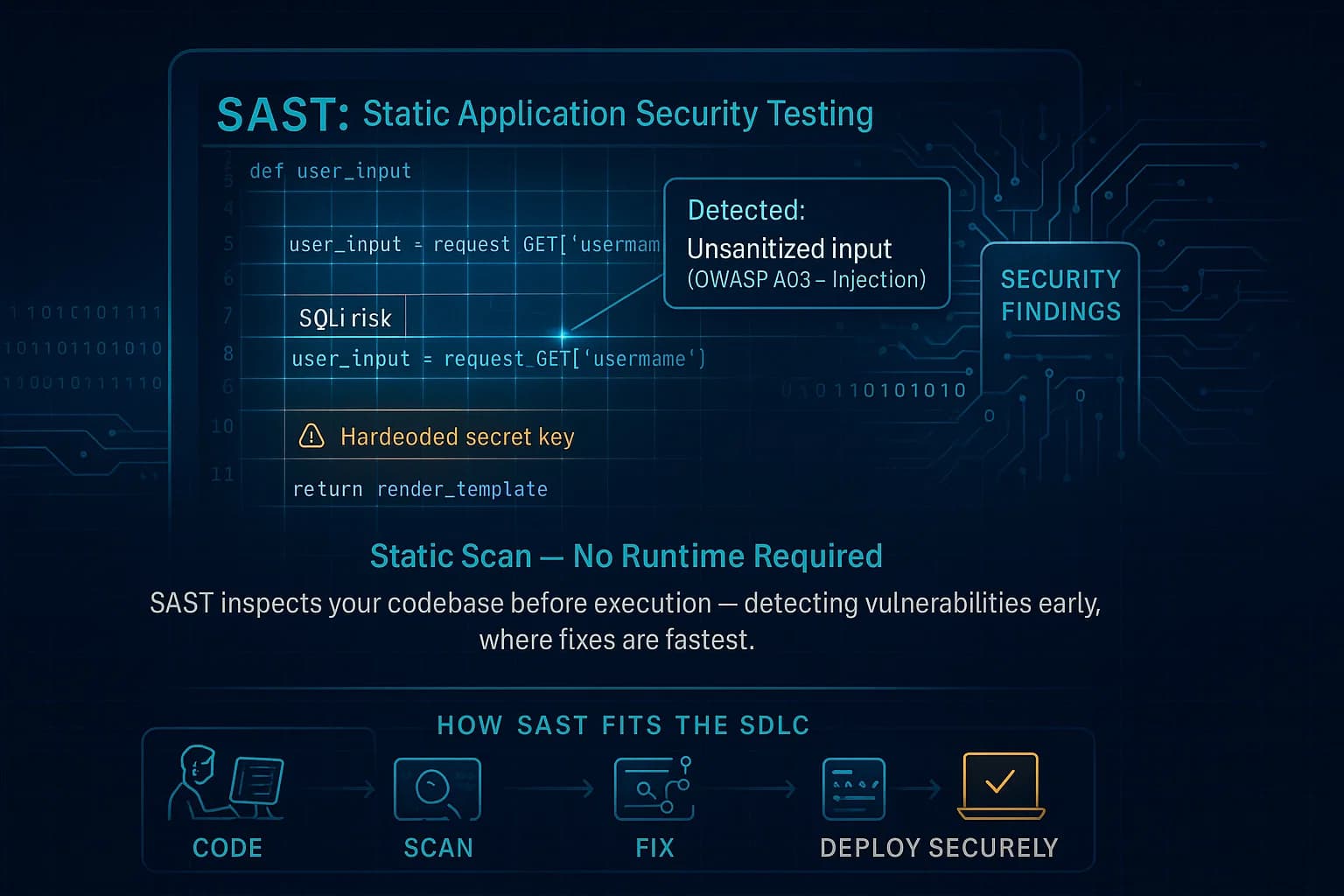
Static Application Security Testing (SAST) is white-box analysis of your codebase. It inspects source code, bytecode, or binaries without running the program. Essentially, SAST tools parse your code and look for insecure patterns like unsanitized inputs or dangerous constructs. Because SAST has full visibility into all code paths, it can cover 100% of the code, including dead code. Popular SAST tools (e.g. Checkmarx, SonarQube, Fortify, GitHub CodeQL) integrate into IDEs or CI pipelines to give developers instant feedback.
Teams typically tune SAST rules and triage findings so dev teams focus on real vulnerabilities. SAST must be combined with other methods, as it alone won’t find every flaw. For example, a hardcoded API key might be flagged by SAST, but an open S3 bucket configuration would not.
SAST's great advantage is timing. It can run on every commit and every pull request, flagging an injection pattern before the code ever merges, which is dramatically cheaper than fixing the same bug in production. That makes it the natural first gate in a DevSecOps pipeline, because it needs no running environment, and because it reads source it maps findings to an exact file and line, making it a white-box technique. The trade-off is noise: false-positive rates are often high enough that triage becomes the main cost, and it is the one most teams underestimate. SAST also struggles with dynamically typed languages, framework-specific context, and any flaw that only appears at runtime, such as a misconfigured server header.
DeepStrike's Continuous Security Testing adds human-led testing each time your applications or APIs change, so new releases are checked by a tester and not only by scanners.
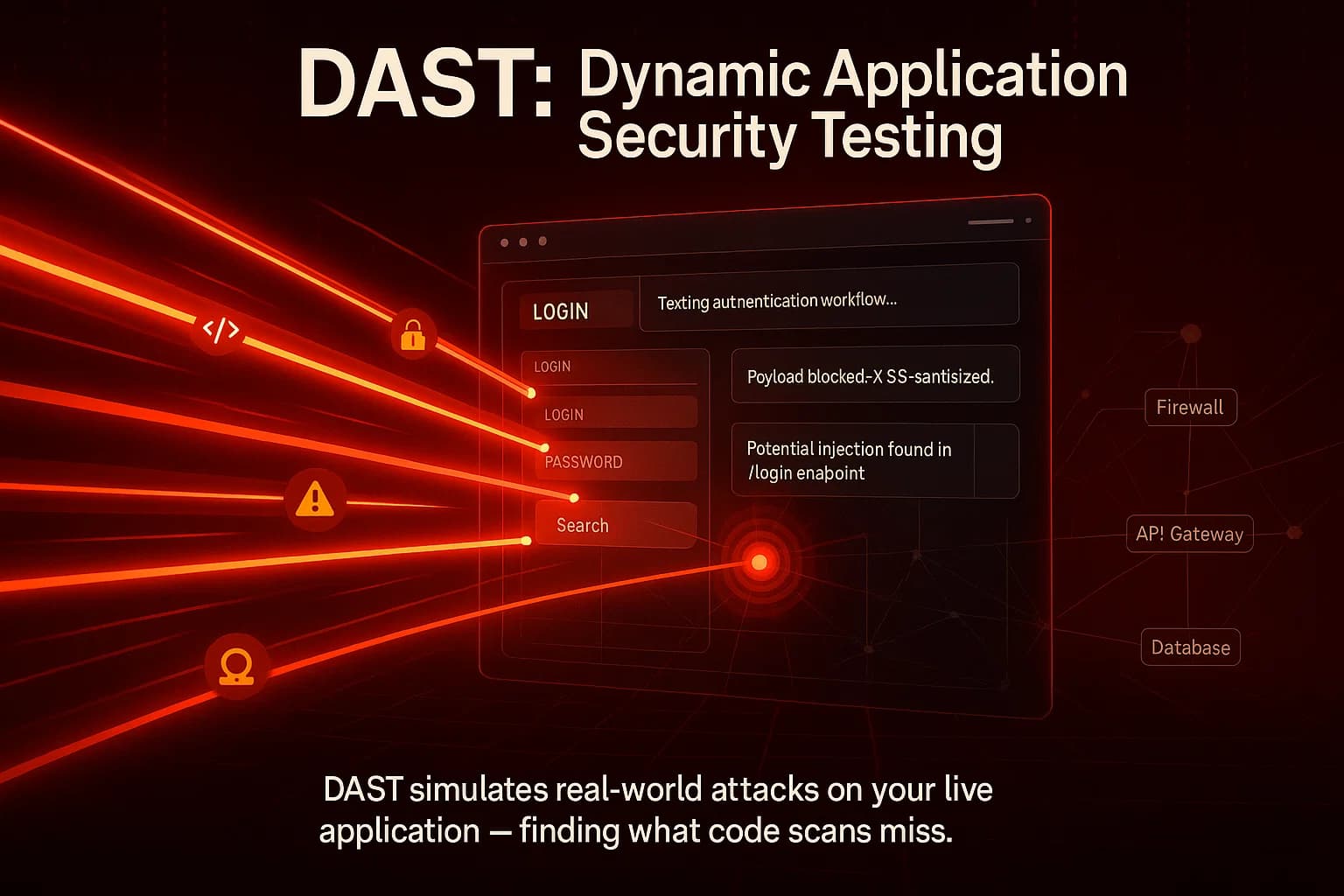
Dynamic Application Security Testing (DAST) is black-box testing of a running application. Without looking at code, DAST tools send malicious payloads like SQLi or XSS attacks to the live app and inspect responses. Think of it as simulating an external attacker probing your web server or API. Because DAST works against the deployed app, it can uncover issues that only manifest at runtime, such as injection flaws, some authentication and session-handling weaknesses, insecure server settings and missing security headers. Business-logic and object-level authorization flaws usually need a human tester who knows how the application is meant to behave (see below).
DAST identifies vulnerabilities that only appear during application execution and works independently of the application’s language. However, DAST may miss insecure code logic that SAST would flag. In short, DAST is the last check that validates your defenses by acting like a hacker. Many teams run scheduled DAST scans during off hours or in a staging mirror to find any missed holes.
DAST's blind spots mirror SAST's strengths. Coverage depends entirely on what the crawler can reach, so single-page apps, OAuth-protected APIs, and multi-step authenticated workflows are common gaps, which is why API-specific security testing matters alongside it. Scans are also slow, and testing against production carries real risk, because you are firing live exploit payloads at systems your customers depend on.
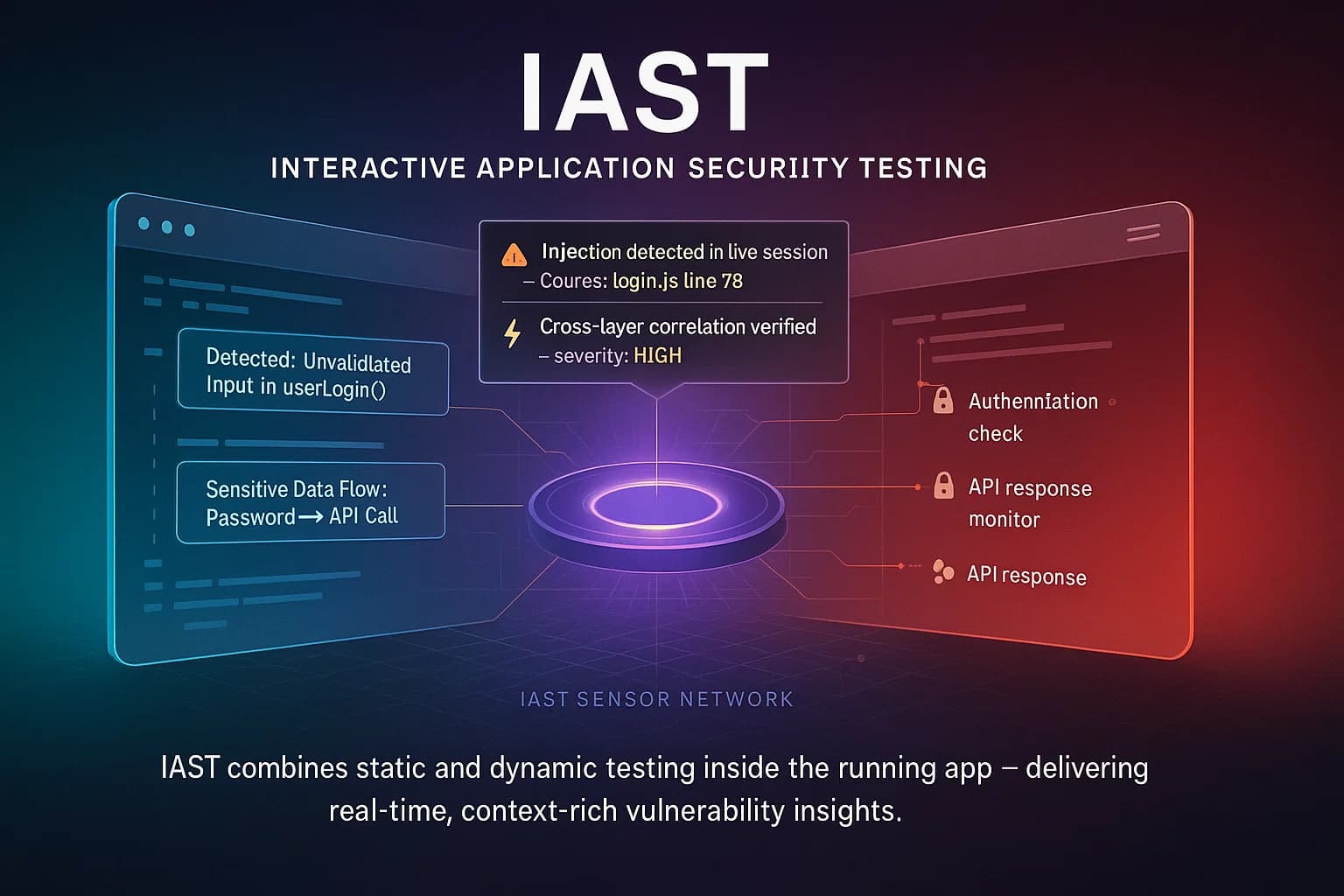
Interactive Application Security Testing IAST blends SAST and DAST. IAST tools install sensors or agents inside your app’s runtime e.g. as part of the server or test harness. As you or automated functional tests exercise the application, IAST continuously monitors dataflow and control flow within the live app. It can see both the source code execution and the HTTP requests/responses, giving it a gray box perspective.
In short, IAST acts like a smart overlay on your QA tests. IAST tools combine the two approaches: they evaluate code like SAST from inside the running app like DAST. Many teams use IAST to enrich their CI/CD pipeline for example, running an IAST scan whenever automated regression tests run, to catch issues before release.
The catch is coverage. IAST can only report on the code paths your tests actually exercise, so a thin test suite yields thin results. It also needs language support, with Java and .NET strongest while Python, Node, Go, and Ruby vary by vendor, and it adds some runtime overhead. IAST shines when you already have a mature QA process feeding it context; it is a poor first purchase if your automated test coverage is low.
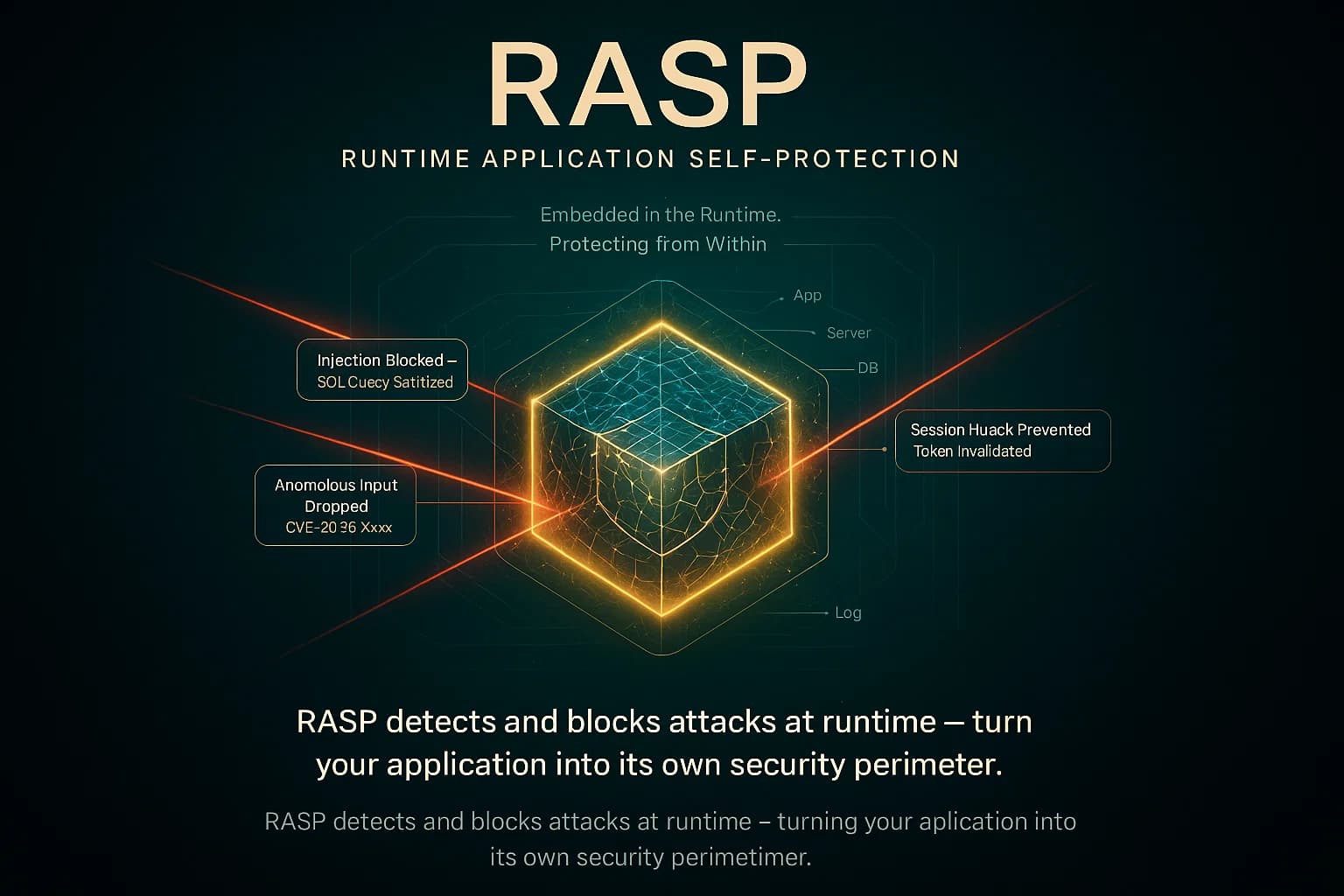
Runtime Application Self Protection RASP is not a testing tool but an in application shield. A RASP agent is embedded within the deployed app or its server environment. It continuously monitors application inputs, data flows, and behavior in real time. If an attack or exploit is detected for example, an SQL injection attempt or a malicious payload RASP can immediately block the request or terminate the session. In effect, the app becomes self protecting.
As GitHub explains, RASP is like an immune system built into the app. It monitors, detects, analyzes, and protects against malicious activity in real time while the app is running. For example, RASP can automatically stop an SQL injection mid-attack, giving your team time to patch. In practice, RASP is used as a last line of defense or as a stopgap for hard-to-fix legacy apps. It often complements a WAF: the WAF filters known bad requests at the edge, while RASP catches anything that slips through or originates internally.
The framing that matters: RASP is a compensating control, not a testing technique. It does not reduce the number of vulnerabilities in your code, only the odds that a given one gets exploited. It adds production overhead and provides no pre-release validation, so relying on it alone leaves you with an unknown and growing pile of unpatched bugs. RASP is generally less widely deployed than scanners, and is best treated as a safety net for legacy apps that are slow to patch or third-party code you cannot change.
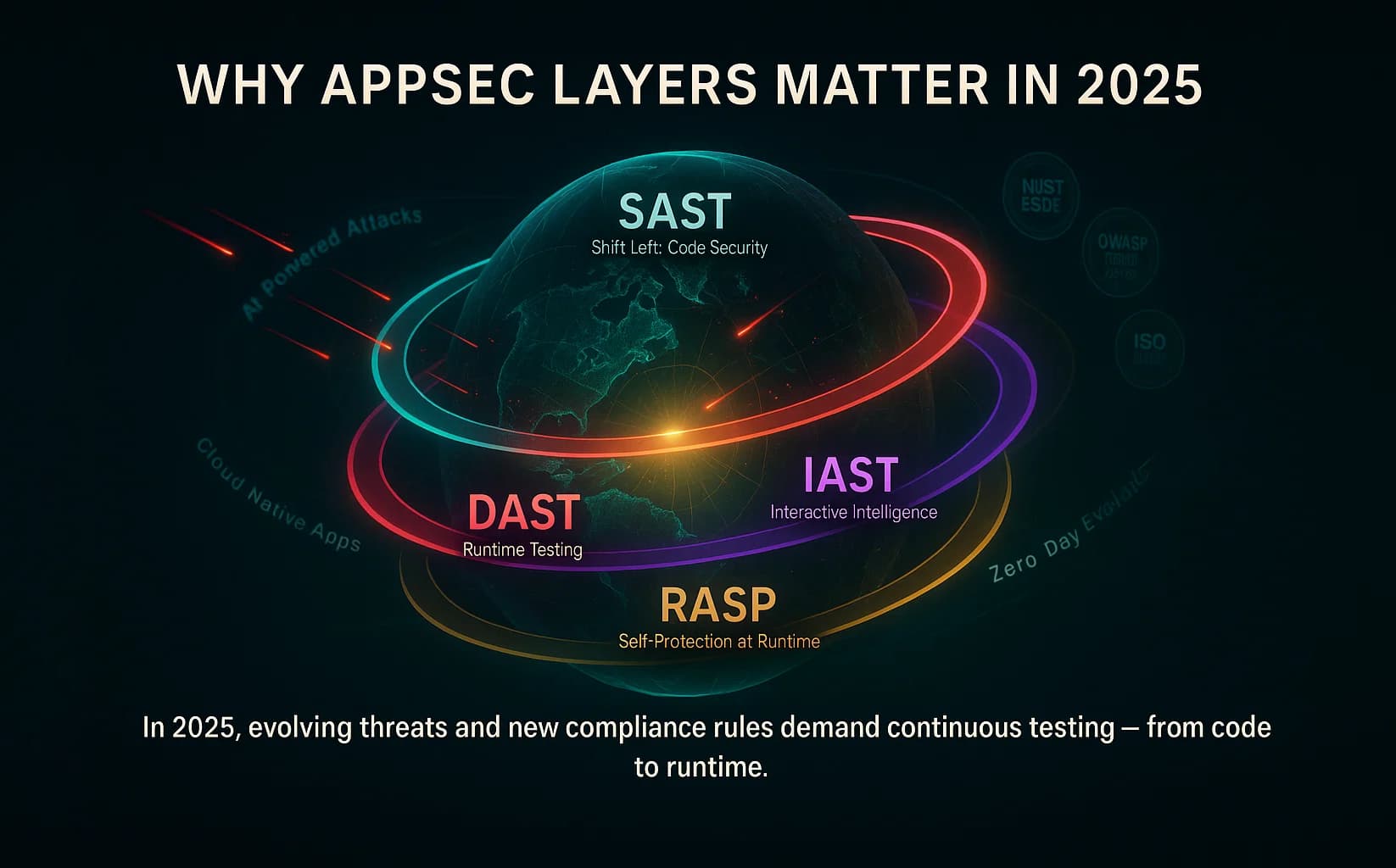
Application security is no longer optional. Exploited software vulnerabilities are now the most common way breaches begin, at 31% of breaches in Verizon's 2026 Data Breach Investigations Report (many of them in edge and VPN devices rather than custom applications), and cloud-native architectures and microservices have multiplied the places such flaws can hide. Regulatory pressure has followed: PCI DSS and the NIST SSDF (SP 800-218) expect secure coding practices and security testing, and HIPAA requires risk analysis and periodic evaluation of safeguards that application testing can support. The SSDF explicitly calls for static analysis to find bugs early, and the OWASP Top 10 maps almost one-to-one onto what these four tools are built to catch.
For UK organizations strengthening layered application security, no single tool catches everything; SAST, DAST, IAST, RASP, and manual validation each cover different parts of the application risk surface. Combining them is the key:
Together, they align with DevSecOps: SAST and IAST integrate into Dev/CI tools, while DAST and RASP protect later stages. You can automate SAST in CI pipelines and DAST in staging to catch flaws fast. Fixing a flaw at the pull-request stage is far cheaper than fixing it after release, because no rebuild, redeploy or incident response is involved, and RASP helps contain costly incidents in production.
Add Software Composition Analysis (SCA) for the open-source dependencies that make up most of a modern codebase, and you have defense in depth across code, runtime, and supply chain. Most teams adopt SAST and DAST first, because they map cleanly onto existing CI/CD and staging, then add IAST and RASP as specific gaps, slow triage or legacy-app protection, become worth solving.
The problem in 2026 is not too few scanners, it is too many. Many enterprises now run several distinct AppSec tools, each producing its own queue of findings, while security headcount has not kept pace. The result is alert fatigue and duplicate findings across tools that were never designed to talk to each other. Three shifts define the current landscape:
One practical warning: consolidation is real, but a SAST module bundled into a broader suite rarely matches a purpose-built engine. Consolidate around genuine capability, not just a shared contract.
| Aspect | SAST | DAST | IAST | RASP |
|---|---|---|---|---|
| Testing style | White box (static code) | Black box (dynamic) | Gray box (instrumented) | Runtime defense (in app) |
| Code visibility | Full (source/bytecode) | None (external only) | Partial (uses sensors) | Full runtime context |
| SDLC stage | Early (dev/CI) | Late (QA/pre-prod) | Mid (test automation) | Production (runtime) |
| Detects | Code flaws (SQLi, XSS, hardcoded creds) | Runtime issues (config, injection, authentication flaws) | Code and runtime issues (only in executed flows) | Active attacks and exploits (blocks 0-day threats) |
| False alerts | Higher (no context) | Lower (actual behavior) | Low (context aware) | Very low (real usage) |
| Examples of tools | Checkmarx, SonarQube, GitHub CodeQL | OWASP ZAP, Burp, Acunetix | Contrast Assess, Black Duck Seeker, HCL AppScan IAST | Imperva RASP, Contrast Protect |
| Needs source code | Yes | No | No (instruments the running app) | Runs inside the app |
| Blocks attacks? | No | No | No | Yes |
| Main weakness | False positives, no runtime view | Misses code depth; coverage limited by crawl/auth (SPAs, undocumented APIs) | Bounded by test coverage | Protects, does not find or fix |
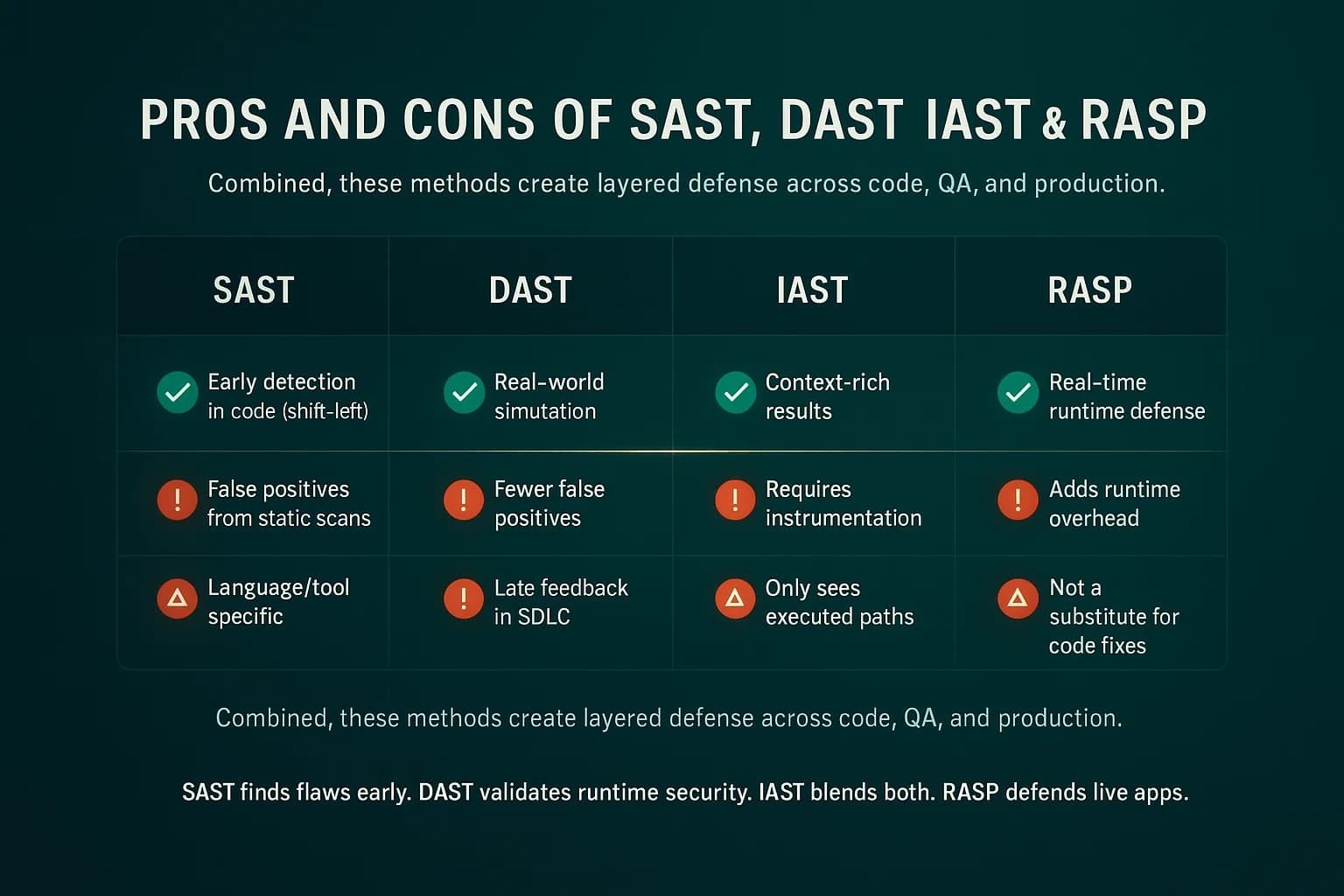
Each tool has its sweet spot. SAST is best at shifting left to catch coding mistakes. DAST excels at finding flaws in live apps and provides an attacker’s eye view. IAST gives high confidence with detailed code traces. RASP is unique: it doesn’t find bugs ahead of time but stops real attacks in flight.
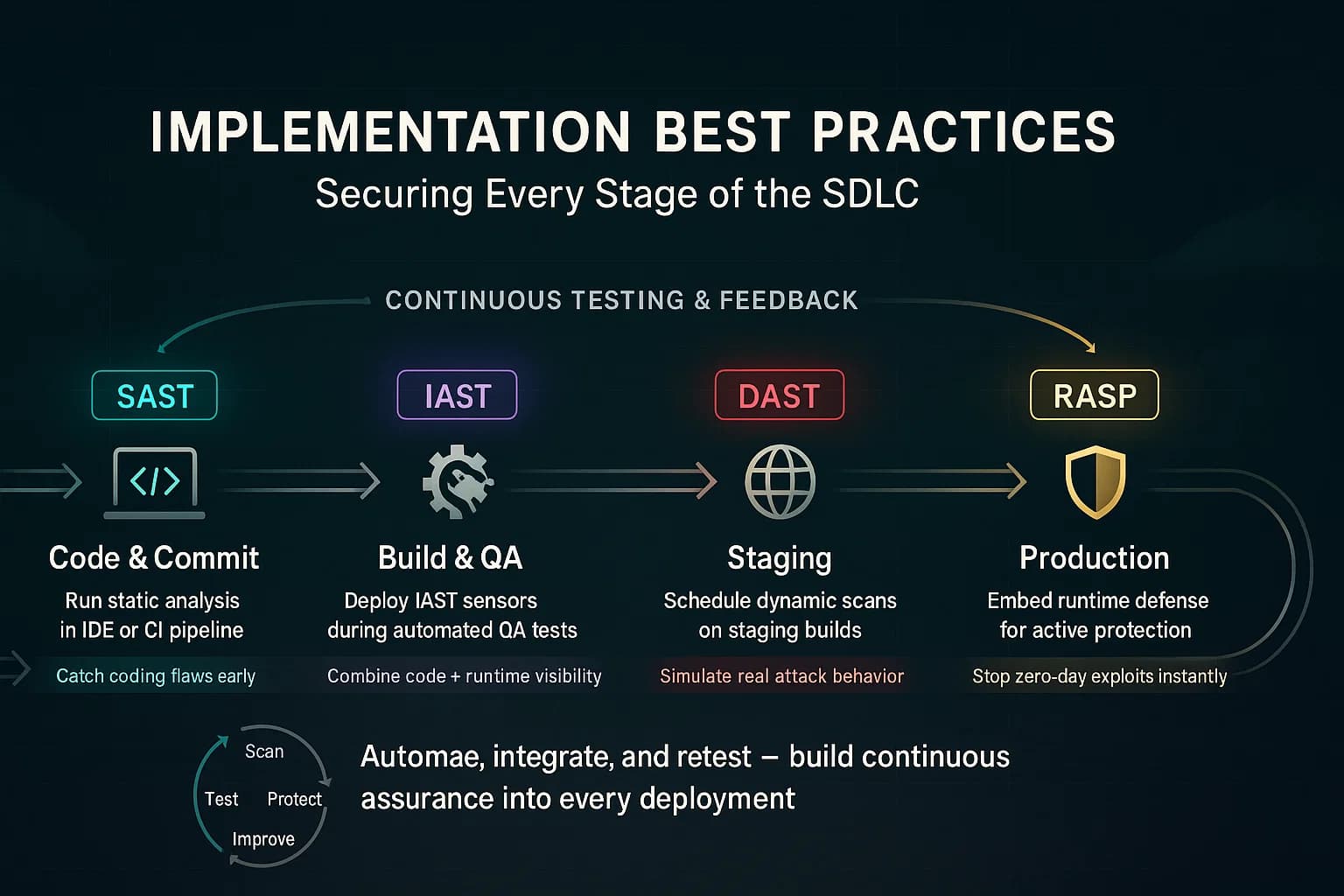
For U.S. teams validating application-security gaps beyond automated scans, here’s how to practically integrate SAST, DAST, IAST, and RASP into the development and testing workflow.
Quick Tips:
You do not need all four on day one. A sensible order of adoption:
One boundary matters more than any tool comparison: none of these four is a penetration test. SAST, DAST, IAST, and RASP are automated. They excel at known patterns and at volume, but they do not reason about your business. They will not find that a withdrawal API accepts a negative amount, that user A can read user B's records by changing an ID, or that three low-severity issues chain into an account takeover. Those flaws, business logic, broken authorization, and chained exploit paths, are where serious breaches start, and finding them still takes a human tester.
Automated tooling and human penetration testing answer different questions, and mature programs budget for both. Our guides on vulnerability management and penetration testing cost cover how the pieces fit together and what they run.
SAST vs DAST vs IAST vs RASP is not a contest to crown one winner; it is a map of where each tool looks and what it can see there. SAST reads the code, DAST attacks the running app, IAST watches from inside during tests, and RASP defends in production. Layer them by problem domain, add SCA for dependencies, and in 2026 put ASPM on top to turn a pile of findings into a prioritized worklist. Then remember the ceiling of automation: the flaws that cause the worst breaches still need a human who understands what your application is supposed to do.
Ready to strengthen your defenses? DeepStrike's penetration testing goes where scanners stop, chaining weaknesses and testing business logic the way a real attacker would, to validate what your AppSec tooling cannot.
Explore our penetration testing services to see how we can uncover vulnerabilities before attackers do. Drop us a line. We’re always ready to dive in.
About the Author: Mohammed Khalil is a Cybersecurity Architect at DeepStrike, specializing in advanced penetration testing and offensive security operations. With certifications including CISSP, OSCP, and OSWE, he has led numerous red team engagements for Fortune 500 companies, focusing on cloud security, application vulnerabilities, and adversary emulation. His work involves dissecting complex attack chains and developing resilient defense strategies for clients in the finance, healthcare, and technology sectors.
In short, SAST scans your code for flaws before running the app white box, DAST attacks the running app to find weaknesses black box, IAST instruments the app during tests to combine both approaches, and RASP embeds in production to block real attacks at runtime. Each covers different parts of the SDLC.
Use SAST during development/CI to catch coding bugs early. Use DAST in QA or pre production to validate security in the deployed app. Use IAST during automated functional testing for deep insight when you have good test coverage. And use RASP in production as an ongoing defense against live threats.
Yes. Automated tools and RASP improve security drastically, but they complement not replace human pentesters. Penetration testing finds complex business logic or chain exploits that tools might miss. Think of SAST/DAST/IAST as continuous scanners, and pen tests as the depth layer on top. How often that layer runs is the real question — see PTaaS vs. Traditional Penetration testing.
Both protect in real time, but at different layers. A WAF sits in front of the app, filtering HTTP requests at the network edge. RASP runs inside the application itself. This means RASP has deeper context, knows the app’s code and logic and can catch attacks that bypass or are invisible to a WAF. RASP can also block threats with very low false alarms.
Don’t rely on one tool alone, use them together. Beware of false positives common in SAST and false negatives possible in DAST. Avoid treating RASP as a silver bullet; it should not justify skipping code fixes. Also, ensure good test coverage for IAST, or it won’t see all code. Finally, keep tools up to date with the latest vulnerability patterns.
No. SAST, DAST, and IAST find vulnerabilities so developers can fix them. RASP is a runtime defense that sits inside a production application and blocks exploitation attempts in real time. It is a compensating control and a safety net, not a way to discover or remediate the underlying flaws, so it never replaces the other three.
Not immediately. Most teams start with SAST on every pull request plus SCA for dependencies, then add DAST against staging. IAST and RASP come later, as specific gaps such as slow triage or legacy-app protection justify them. The goal is layered coverage across code, runtime, and supply chain, not owning every acronym at once.
SAST reads source code statically and never runs the app, so it flags many candidate issues but with high false positives. IAST instruments the running application during tests and reports only vulnerabilities actually reached at runtime, giving far lower false positives and exact code locations. The trade-off is that IAST only covers code paths your tests exercise.
Application Security Posture Management (ASPM) aggregates findings from SAST, DAST, IAST, SCA, and other scanners, deduplicates them, and prioritizes by business context and reachability. It does not test anything itself; it makes the combined output of your existing tools usable. ASPM becomes worthwhile once you run three or more scanners producing more findings than your team can triage.

Stay secure with DeepStrike penetration testing services. Reach out for a quote or customized technical proposal today
Contact Us
