November 1, 2025
Updated: October 26, 2026
Homoglyph attacks exploit look-alike Unicode characters to spoof domains, trick users, and bypass filters. Learn how they work, see real examples, and discover proven defenses.

Mohammed Khalil
A homoglyph attack (also called a homograph or IDN homograph attack) is visual spoofing: an attacker swaps one or more letters in a domain, email address, filename, or even source code for a near-identical character from another script, so the text looks legitimate but points somewhere else. To your eye, example.com with a Cyrillic "а" is indistinguishable from the real example.com with a Latin "a", yet they are entirely different strings that resolve to different places. This guide explains how homoglyph attacks work, where they now appear (including code and software packages), real 2026 examples, how to test for them, and how to defend, at a time when no major browser reliably stops them.
Updated: August 2026. Reflects the 2026 threat picture (no unified browser IDN defense, a resurgence of punycode phishing, and homoglyph/Unicode attacks spreading into source code and package registries).
| Question | Short answer |
|---|---|
| What is it? | Spoofing that replaces letters with look-alike Unicode characters from another script |
| Why does it work? | Many characters are visually confusable (Latin "a" vs Cyrillic "а"), and IDNs make them valid in DNS |
| Where does it show up? | Fake domains, phishing emails, filenames, source code, and malicious software packages |
| Can browsers stop it? | Not reliably. In 2026 the three major browsers each have partial, bypassable defenses |
| Why care? | Phishing remains the top breach vector, and homoglyphs slip past filters and trained users alike |
The one line to remember: a homoglyph attack hides a malicious name in plain sight, so the string you read is not the string the computer resolves.
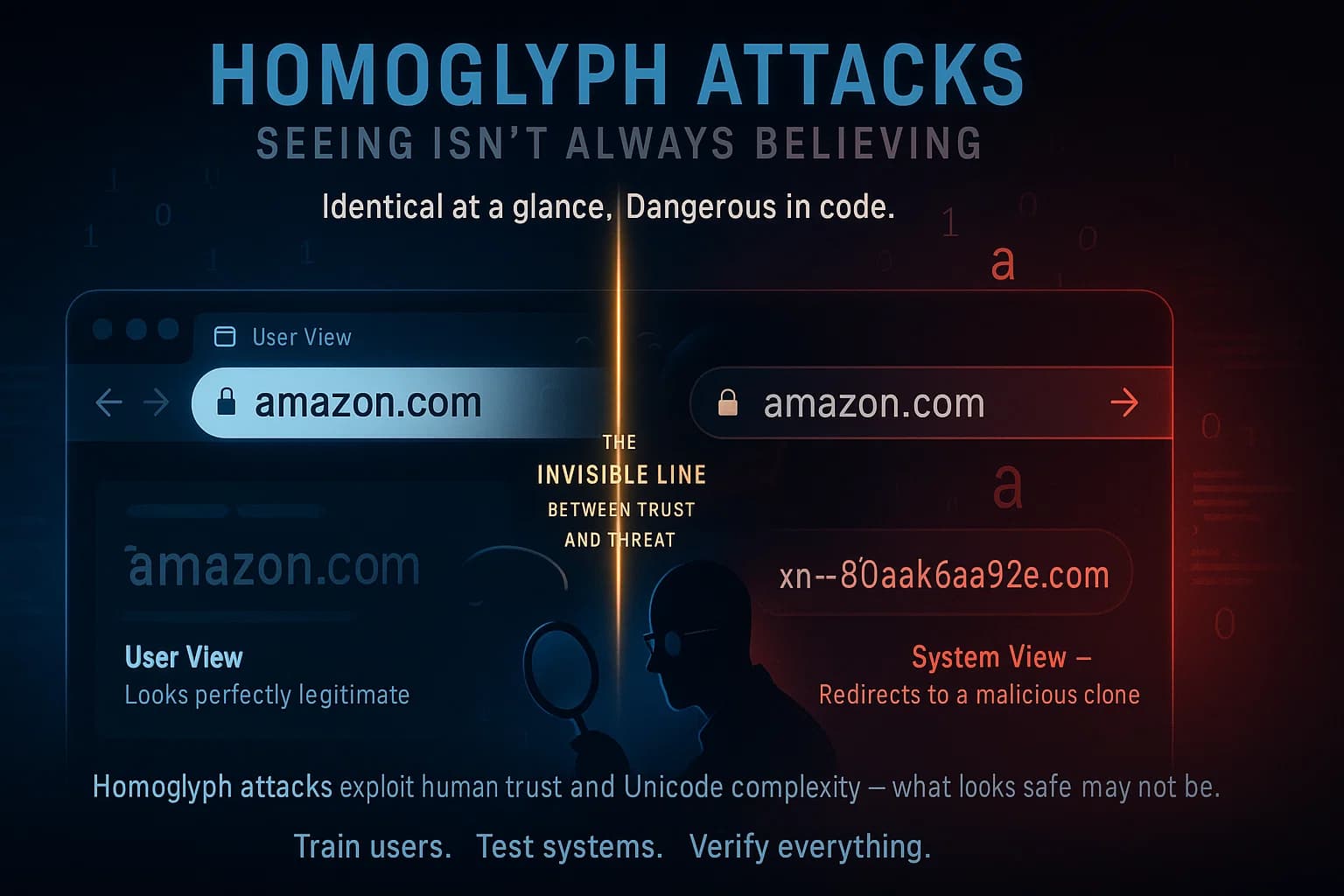
A homoglyph is a character that looks like another. Unicode contains tens of thousands of characters across dozens of scripts, and many are visually identical or nearly so, the Latin "o" (U+006F) and the Cyrillic "о" (U+043E) render the same on virtually every screen. A homoglyph attack weaponizes that overlap: the attacker composes a name that looks like a trusted one but contains one or more characters from a different script.
The enabling technology is the Internationalized Domain Name (IDN) system, which lets domains use non-ASCII characters (encoded behind the scenes as "punycode," an xn-- string). IDNs exist for a good reason, so the world can have domains in Arabic, Chinese, Cyrillic, and every other script, but they also mean a fully Cyrillic аррӏе.com can be registered and will resolve completely independently of the Latin apple.com. To a human, and to many filters, the two look the same.
This is why homoglyph attacks are a favorite of phishers and, increasingly, supply-chain attackers: the deception happens at the level of perception, before any security control gets a clean string to inspect.
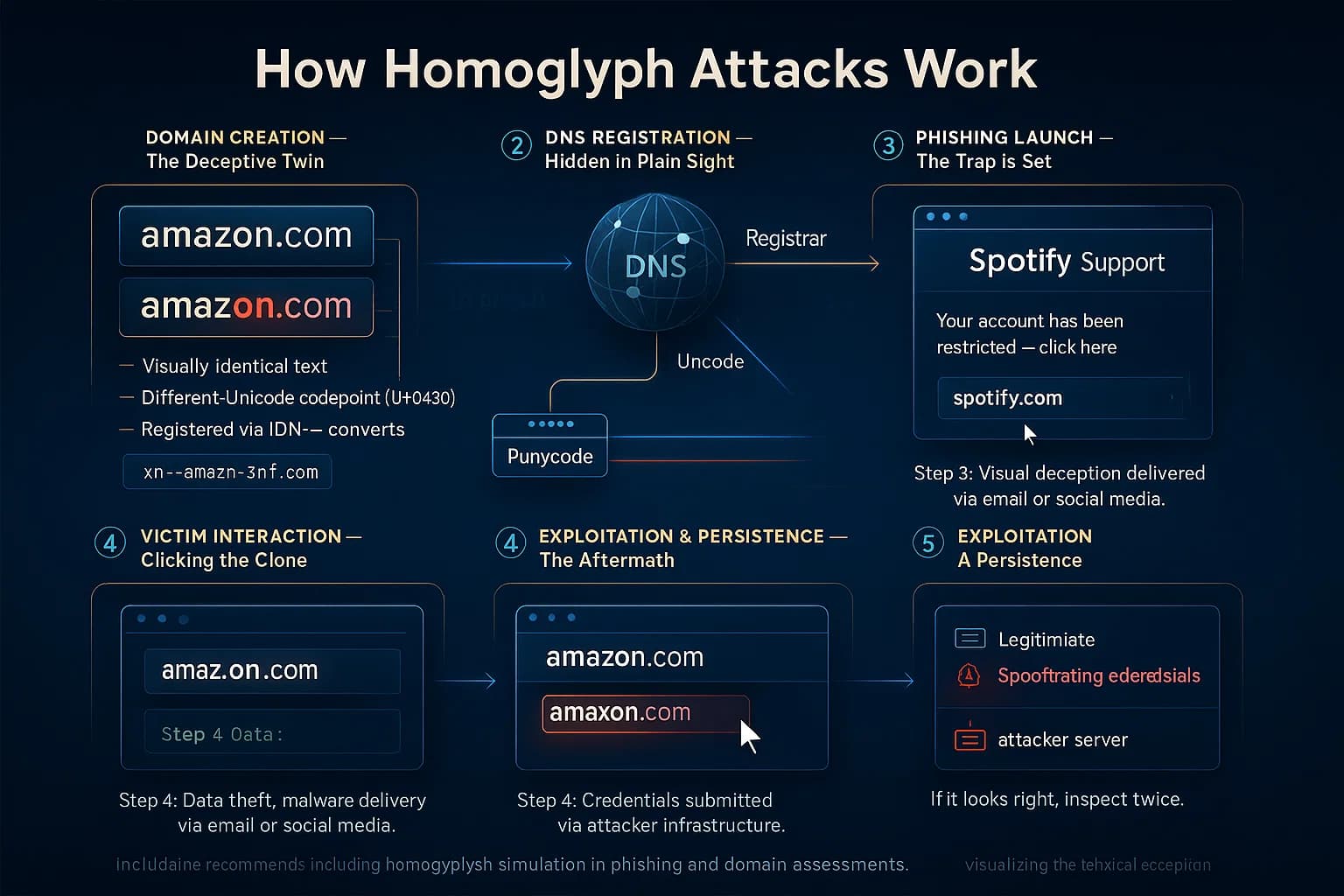
The mechanics are consistent whether the target is a domain, an email, or a line of code.
The classic proof of concept came from security researcher Xudong Zheng in 2017, who registered аррӏе.com using Cyrillic characters, which punycode-encodes to xn--80ak6aa92e.com, and demonstrated that Chrome and Firefox at the time displayed it as apple.com. The visual was perfect; the destination was not.
These lookalike techniques are often confused. The differences matter for defense.
| Technique | How it fools you | Example |
|---|---|---|
| Homoglyph / IDN homograph | Look-alike characters; the name appears correct | pаypal.com (Cyrillic "а") |
| Typosquatting | Relies on a typing mistake | gooogle.com, paypa1.com |
| Combosquatting | Adds real words around the brand | paypal-secure-login.com |
| Slopsquatting | Names that AI coding tools hallucinate, then attackers register | a plausible-sounding package an LLM invented |
The key distinction: typosquatting needs you to make a mistake; a homoglyph attack works even when you read carefully or copy and paste, because the string genuinely looks right. Slopsquatting is the newest twist, attackers register the fake package names that AI assistants confidently suggest but that never existed, catching developers who trust the AI's output.
Homoglyphs started as a domain trick. In 2026 they span four surfaces.
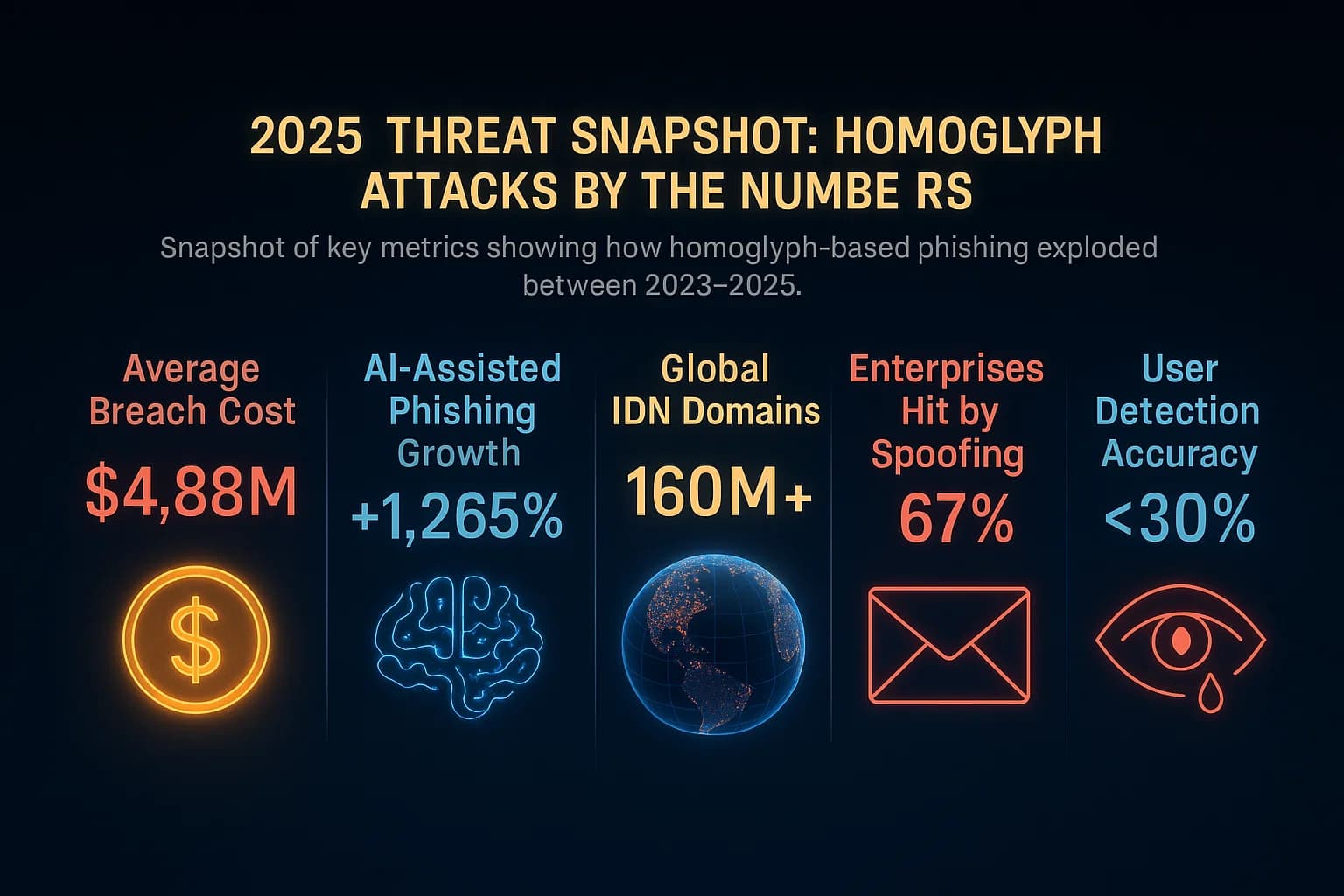
Three forces make this more dangerous, not less.
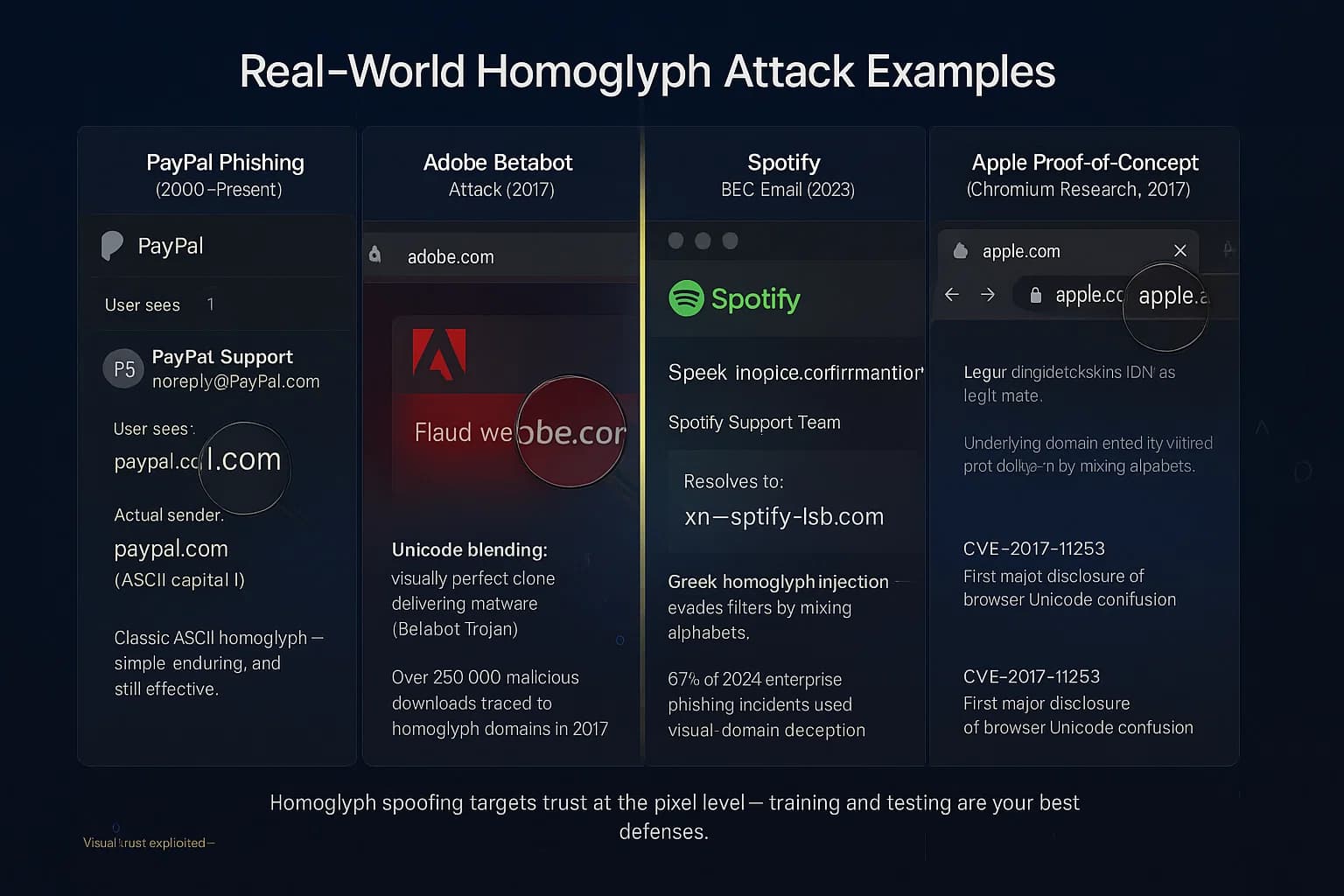
| Case | What happened |
|---|---|
| PayPal "PayPaI" (early 2000s) | An ASCII trick using capital "I" for lowercase "l" to spoof PayPal and steal credentials |
| Adobe "adoḅe" (2017) | A dotted-b homoglyph domain served a fake Flash update carrying the Betabot trojan |
| Apple PoC (2017) | Xudong Zheng's аррӏе.com (xn--80ak6aa92e.com) rendered as apple.com in major browsers |
| BEC campaigns (2020s) | Cyrillic/Greek homoglyphs in DocuSign and Spotify-style sender names to bypass filters |
| Trojan Source (2021) | Unicode homoglyph and bidi tricks that hide malicious behavior in source code from reviewers |
| npm/PyPI lookalikes (2024-2026) | Homoglyph and typosquatted package names, including a self-propagating npm worm in Aug 2026 |
The common thread: the top-level domain or the surrounding structure stays familiar, only the characters change, so the fake blends seamlessly into whatever interface displays it. This is also why many brands register similar domains early, before an attacker can.
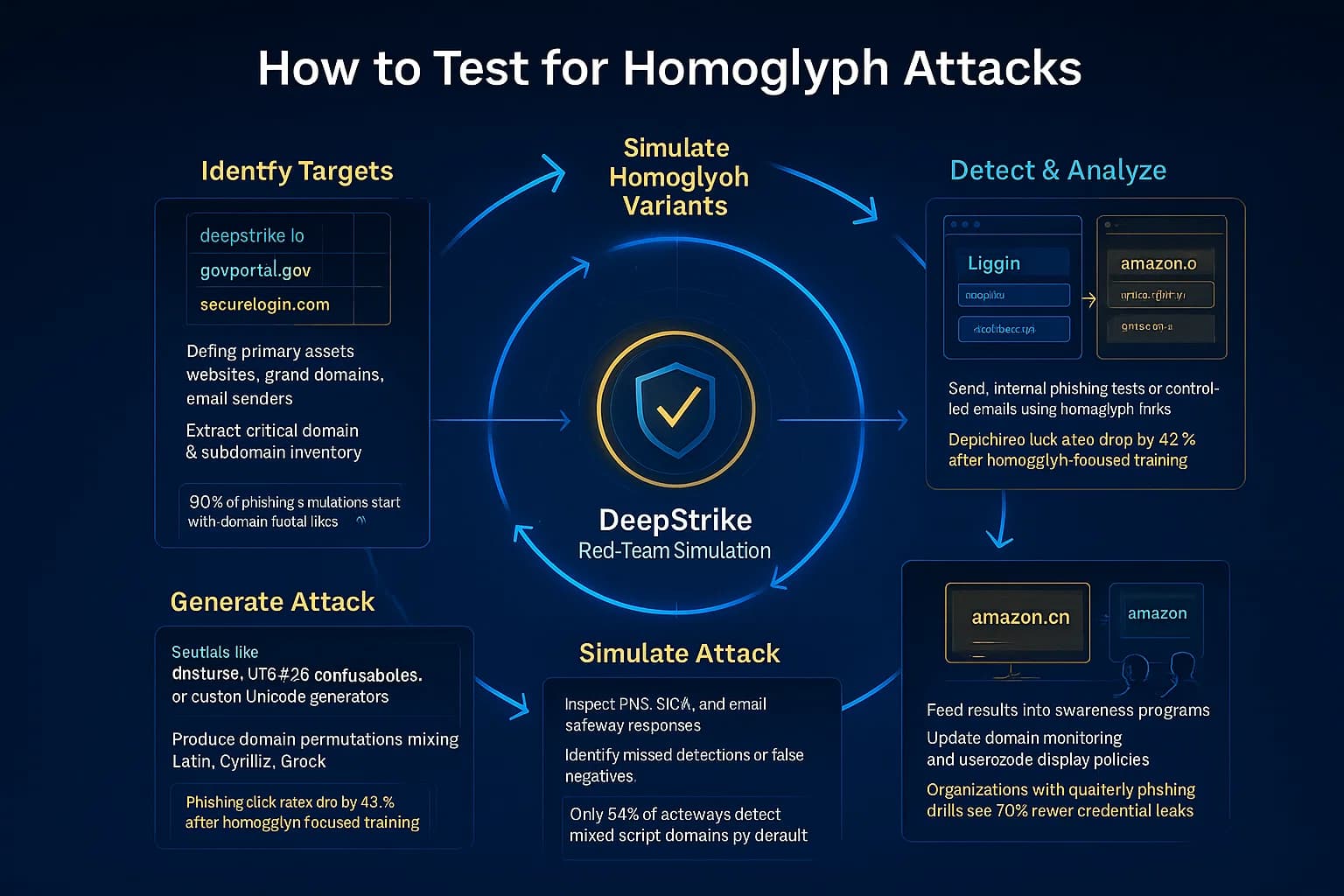
Include homoglyph scenarios in phishing, red-team, and supply-chain assessments, alongside the core stages of what penetration testing covers. A practical sequence, which slots into a standard external penetration test:
Testing separately measures the control and the human, because a homoglyph attack can defeat either one alone.
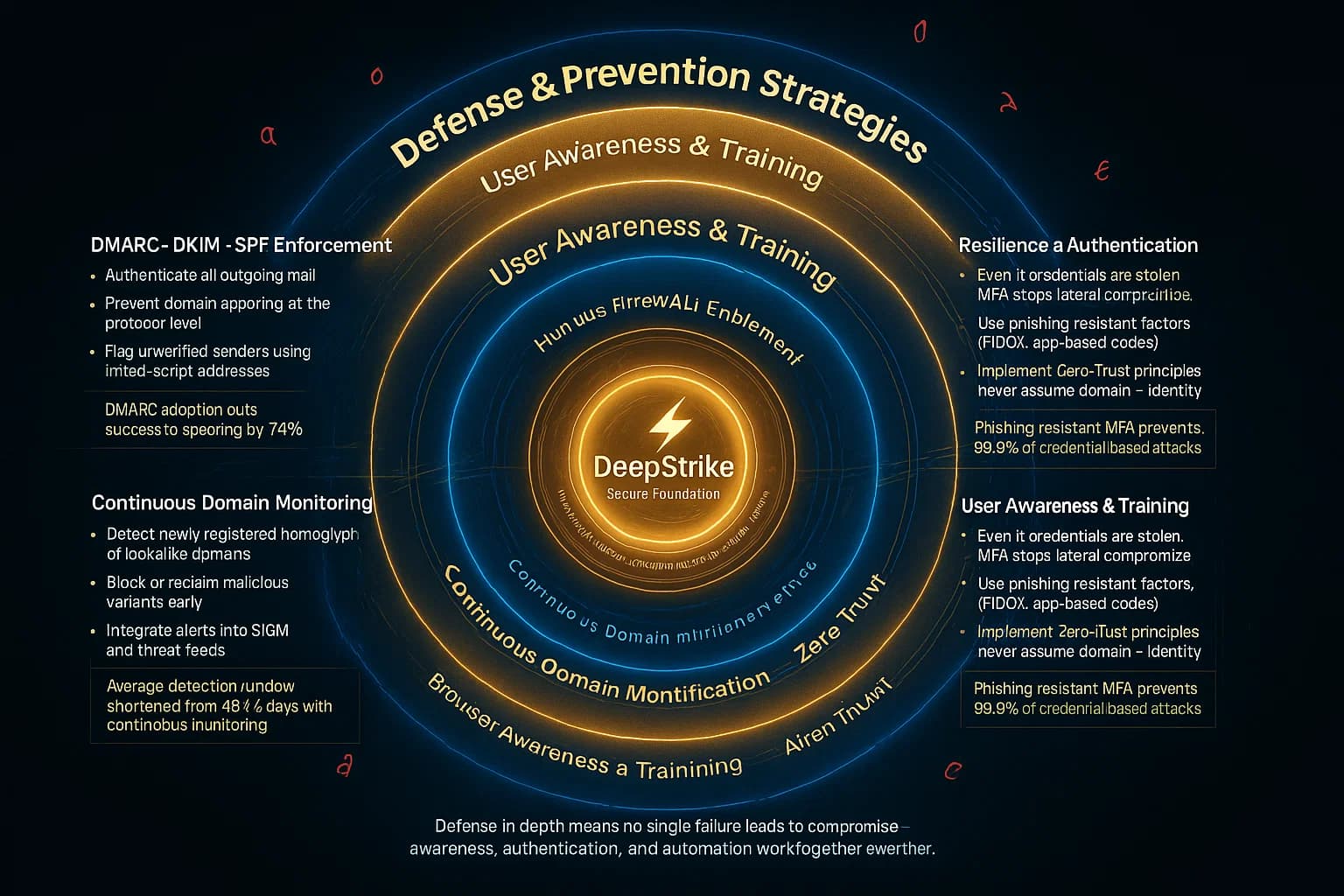
Defense has to be layered, because no single control catches every case.
| Control | What it does |
|---|---|
| Force punycode display | Configure browsers/mail clients to reveal xn-- for mixed-script domains (e.g. Firefox network.IDN_show_punycode) |
| Email authentication (DMARC, DKIM, SPF) | Won't stop a lookalike domain, but flags spoofed senders and hardens your own domain |
| Domain and brand monitoring | Watch for newly registered lookalikes of your brand and take them down early; defensively register common variants |
| Confusable-detection tooling | Gateways/DNS filters that map a string to its ASCII "skeleton" (UTS #39) and flag confusables regex misses |
| Phishing-resistant MFA (FIDO2/passkeys) | Even if credentials are phished, passkeys are bound to the real domain and won't authenticate on the fake |
| Source-code Unicode linting | Detect bidi/homoglyph characters in code (Trojan Source defenses, anti-bidi linters, compiler warnings) |
| Dependency pinning + package verification | Pin versions, verify names, and scan dependencies to counter typosquatted/homoglyph packages |
| User training with real examples | Teach hovering, URL checking, and skepticism of urgency, tested with homoglyph samples |
Two controls do the heaviest lifting. Phishing-resistant MFA neutralizes the payoff of a successful homoglyph phish, because a passkey simply won't work on the wrong domain. And automated confusable detection plus monitoring catches at machine speed what human eyes cannot, while the human side is quantified in our social engineering statistics. Pair those with a tested incident response plan so a reported lookalike triggers fast takedown and account protection.

Homoglyph attacks are a small trick with an outsized reach: by swapping a single character for a look-alike, an attacker can turn a trusted domain, email, code review, or dependency into a weapon, and in 2026 no browser reliably stops them. The defense is visibility and layering, force punycode, monitor for lookalikes, detect confusables automatically, lint your code and dependencies, and deploy phishing-resistant MFA so a convincing fake still fails. Above all, remember that the name you read is not always the name the machine resolves, and test for the difference before an attacker exploits it.
DeepStrike's penetration testing includes phishing and social-engineering assessments that use homoglyph and lookalike-domain scenarios to validate whether your filters, browsers, and people actually catch them. To scope an engagement, see our penetration testing services.
It is a spoofing attack that makes a domain, email, filename, or piece of code look identical to a legitimate one by replacing characters with visually similar glyphs, often from another alphabet. For example, using a Cyrillic "а" instead of a Latin "a" in a URL creates a lookalike that resolves to a different, attacker-controlled destination.
Typosquatting relies on you making a typing mistake, like gooogle.com. A homoglyph attack uses characters that look identical to the real ones, so it fools you even when you read carefully or copy and paste, because the text genuinely appears correct. Homoglyphs deceive perception; typosquatting exploits error.
Not reliably. As of 2026 there is no unified defense: Chrome, Firefox, and Safari each apply their own heuristics that show punycode (xn--...) for suspicious mixed-script domains, but each has known bypasses, and a carefully built homoglyph domain can still render as its target. Browser display helps but cannot be your only control.
Yes. The 2021 "Trojan Source" research (CVE-2021-42574 and CVE-2021-42694) showed that Unicode homoglyph and bidirectional-override characters can make source code look benign to a human reviewer while the compiler interprets it maliciously, for instance calling a homoglyph-named function. Anti-bidi linters and Unicode code scanning defend against it.
Attackers publish malicious packages to registries like npm and PyPI using homoglyph or typosquatted names of popular libraries, so developers install the fake by mistake. A related 2025-2026 twist is "slopsquatting," registering the plausible package names that AI coding assistants hallucinate. Dependency pinning, name verification, and scanning are the defenses.
Because a homoglyph URL or sender looks legitimate, so simple filters that match on paypal.com miss pаypal.com with a Cyrillic character. The malicious string is a different string entirely. That is why defense must be layered, punycode display, confusable detection, DMARC, and phishing-resistant MFA, rather than any single filter.
Testers generate homoglyph and typosquatted variants of your domains with tools like dnstwist and the Unicode confusables data, then use them in sanctioned phishing and access tests to see whether email filters catch them, whether users notice, and whether controls like password-manager autofill correctly refuse the fake domain. The gaps found drive filter, monitoring, and training fixes.
Stay secure with DeepStrike penetration testing services. Reach out for a quote or customized technical proposal today
Contact Us
